Features · Boxes and displays
Device + tariffs
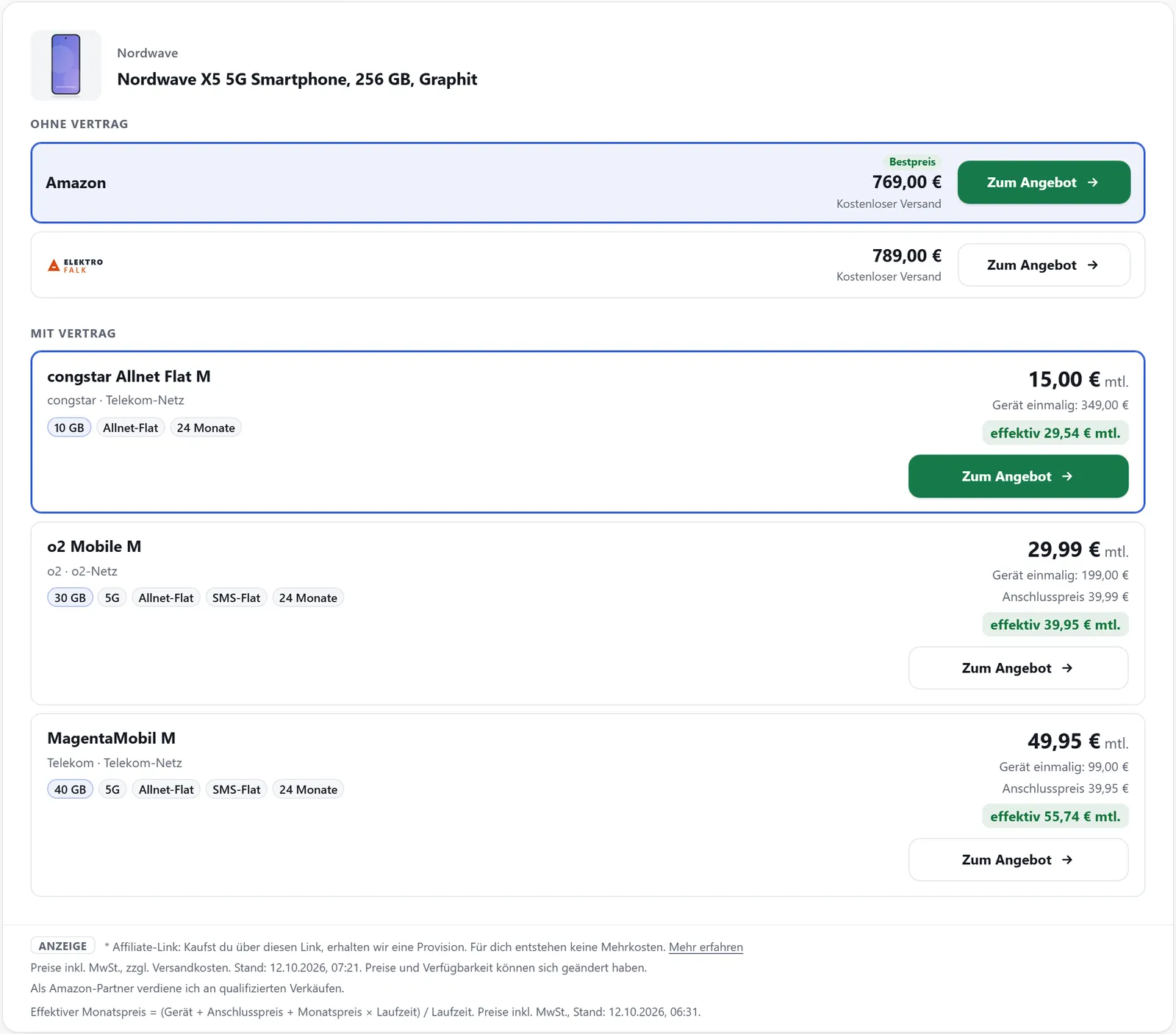
Many retailers sell smartphones with a mobile contract as well. The one-off price is then not the price of the device – which is why affilinode keeps such offers apart as tariffs. The “Device + tariffs” box shows the device without contract at the top and the tariffs below.
From the Pro plan
What it does
- Tariffs never count as the device’s best price
- Provider, network, data allowance, term, monthly and device price
- Sorted by effective monthly price
- Tariffs detected in feeds or added by hand
- Tariff calculators from comparison portals as your own box, with no third-party code
Where tariffs come from
In your partner programmes’ feeds, affilinode recognises contract offers by their title, category or tariff columns and takes over provider, network, data, term, monthly price and device price wherever the retailer supplies them. Items “without contract” stay normal offers. You can add your own tariffs at the product under “Offers” → “With contract (tariffs)”.
If a contract item has ended up as a product of its own in your catalogue, “Assign as tariff” attaches it to the device. affilinode remembers the assignment: when the feed delivers the item again, it goes straight to the device as a tariff.
Effective monthly price
Tariffs are compared by their effective monthly price: (one-off device price + connection fee + monthly price × term) / term. That way a cheap phone on an expensive plan and an expensive phone on a cheap plan can be compared fairly. The formula is also shown below the box.
Tariff calculators as a box
You store the partner link of a comparison portal such as CHECK24 or Tarifcheck once under affilinode → Tariff calculators, with the placeholders [plz] and [verbrauch]. [affilinode_calculator] turns it into your own box with input fields that opens the partner’s results – no third-party code runs on your page.
Examples
Device without contract, with the tariffs below.
[affilinode_tariffs id="…"]Tariff calculator that only loads after a click.
[affilinode_calculator key="…" consent="click"]Embedded without WordPress.
<div data-affilinode="tariffs" data-id="…" data-limit="6"></div>Good to know
- Device + tariffs is part of a plan capability. If your plan doesn’t include it, editors see a short note instead of the box – the same applies to tariff calculators.
- Nothing is sent to the portal until a visitor clicks; the link then carries your tracking ID plus the postcode and consumption the visitor entered.
- Tariffs from a feed are updated with the next sync; if an item disappears from the feed, its tariff is switched off.
Guide in the help center (German): geraet-und-tarife
Goes well with
Try it yourself
14 days with all features, no payment details. Afterwards your account continues on the free Basic plan.