WordPress plugin

affilinode for WordPress

Product boxes, price comparisons, comparison tables and lists with current prices from several shops – as blocks in the editor, as shortcodes or in your page builder. Multisite-ready, cached and fail-safe.

Download pluginComing soon to the wordpress.org plugin directoryCreate an account – 14-day free trial
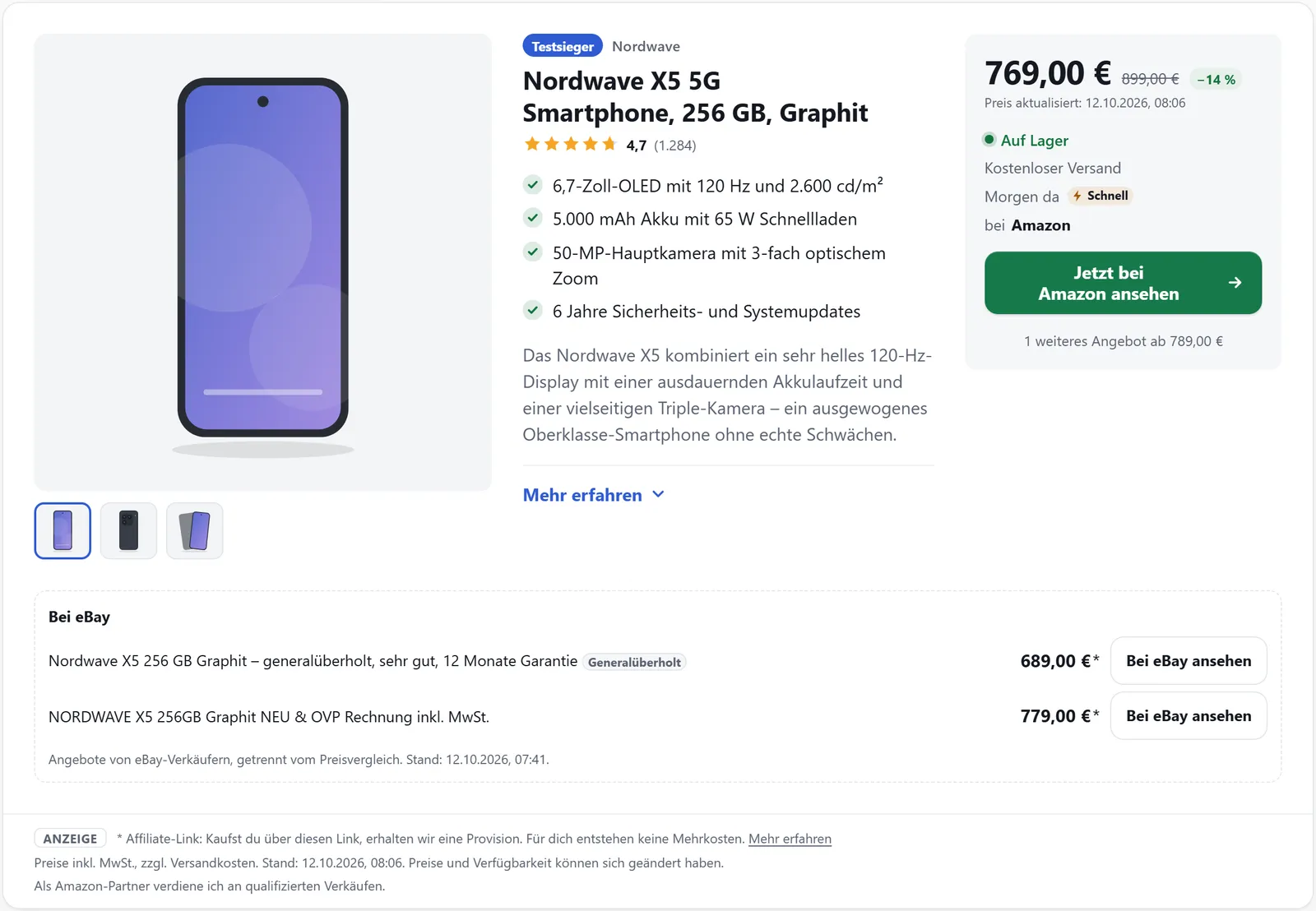
Product box from the plugin (demo data)

Download and install the plugin

Until the plugin appears in the WordPress plugin directory, you can download it here directly.

Download plugin Version 0.72.0 · ZIP · 1.6 MB

  1. Download the ZIP file. Do not unzip it.
  2. In WordPress, go to “Plugins” → “Add New” and click “Upload Plugin”.
  3. Choose the ZIP file and click “Install Now”.
  4. Activate the plugin, then enter the API key under “affilinode” → “Settings”.

Until the plugin is in the directory, updates are manual: download the new ZIP file and install it the same way. WordPress replaces the existing version and your settings are kept. Afterwards clear your page cache (cache plugin, hosting cache) so the new version takes effect everywhere.

The plugin will soon be in the WordPress plugin directory as well, with automatic updates there.

Checksum (SHA-256): 77c3d4b84149772b4ae26cc60b4b1bb4ccf04c17e8c02144f5d5698a70b16e13

Boxes and displays

Price comparison

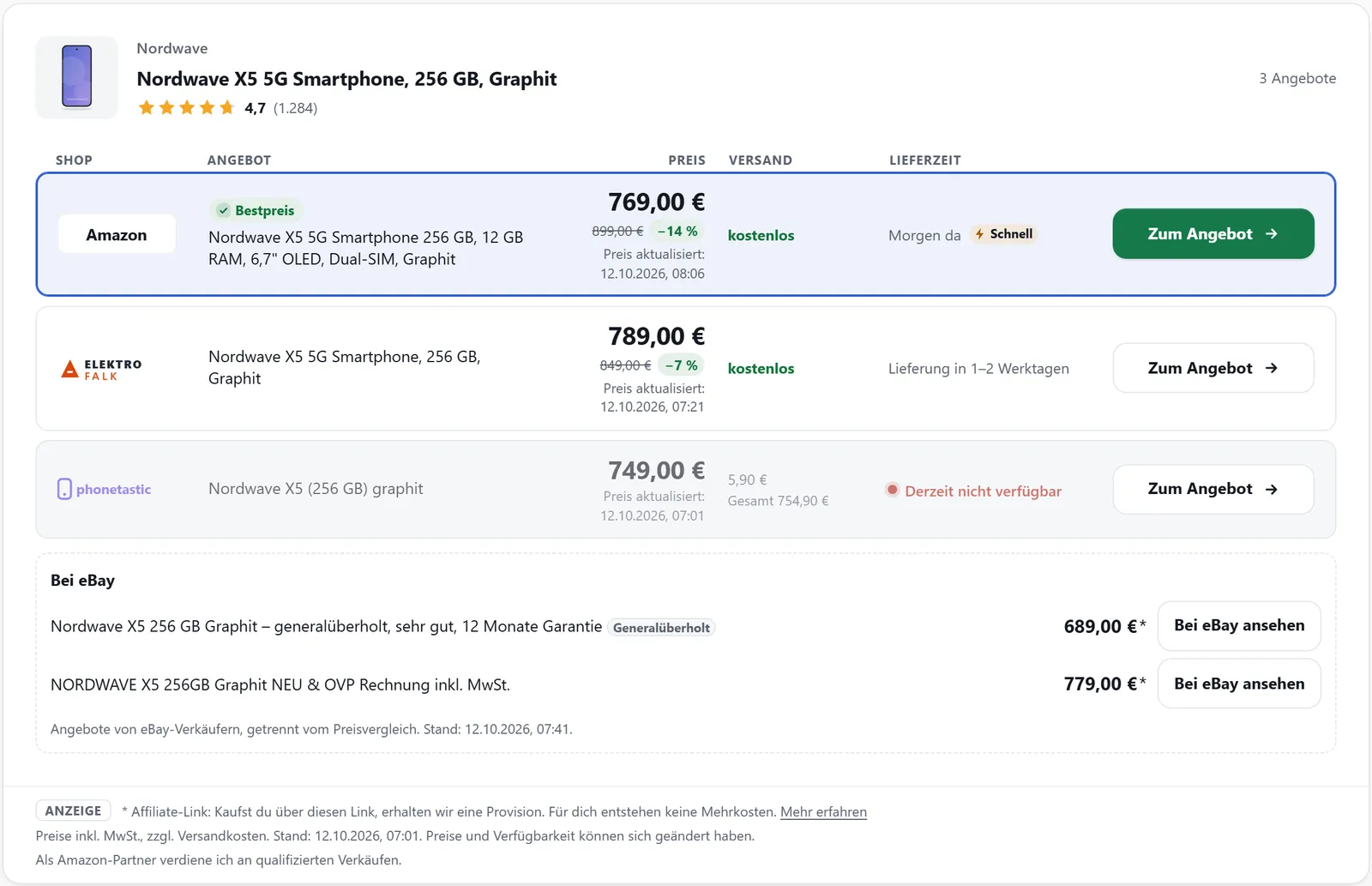
The price comparison lists the offers from your partner programmes for one product, for example from Amazon, Awin advertisers or your own WooCommerce shop. The best offer is highlighted, and every row shows when its price was last confirmed.

  • Shop, offer, price, shipping and delivery time in every row
  • “Price updated … ago” below every price, correct even from a page cache
  • eBay offers from the eBay API in their own “On eBay” block
  • Offers per visitor country and an optional country switcher
More about „Price comparison“

Price comparison with shop, price, shipping, delivery time and price date for each offer

Boxes and displays

Comparison tables

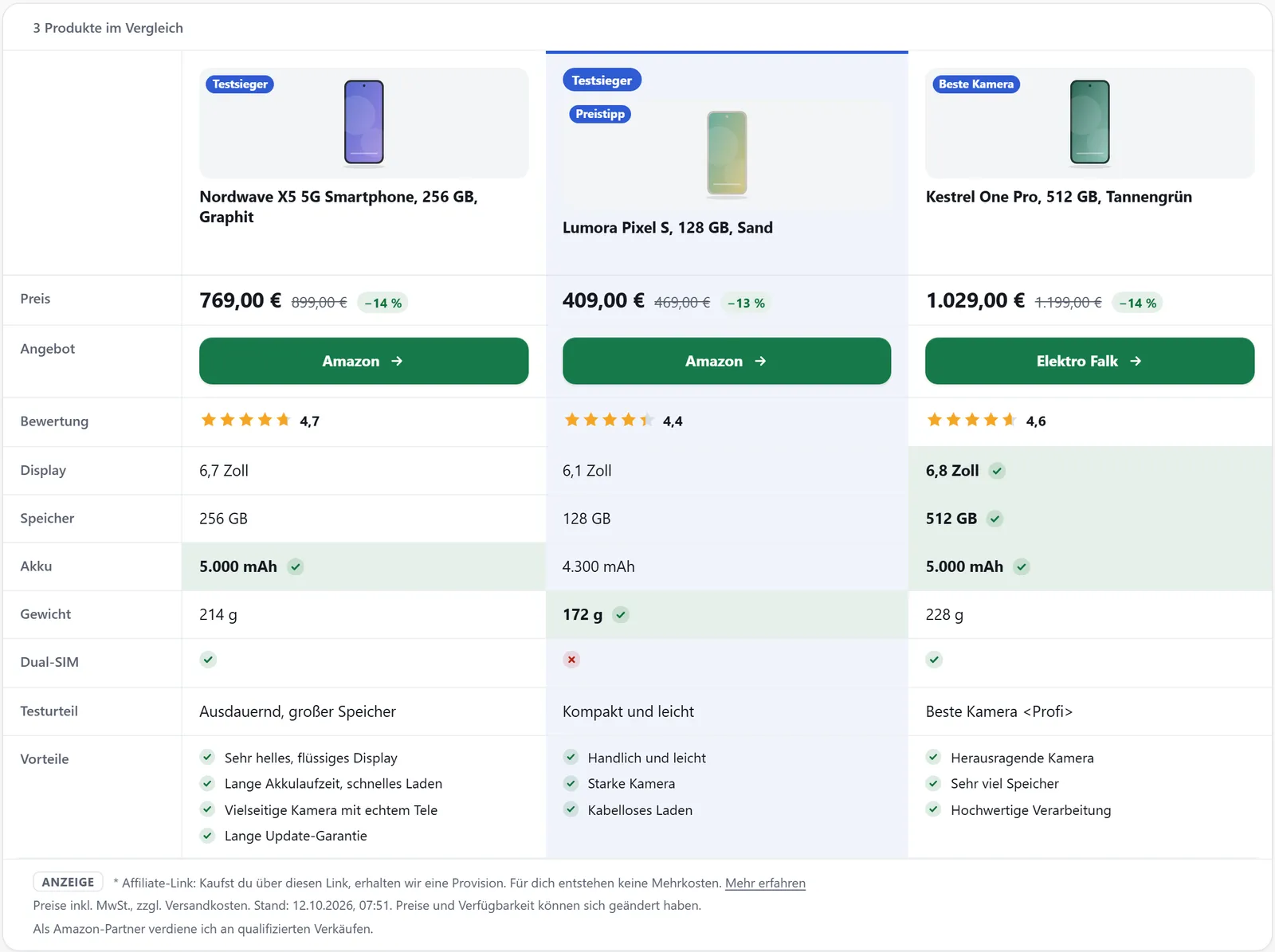
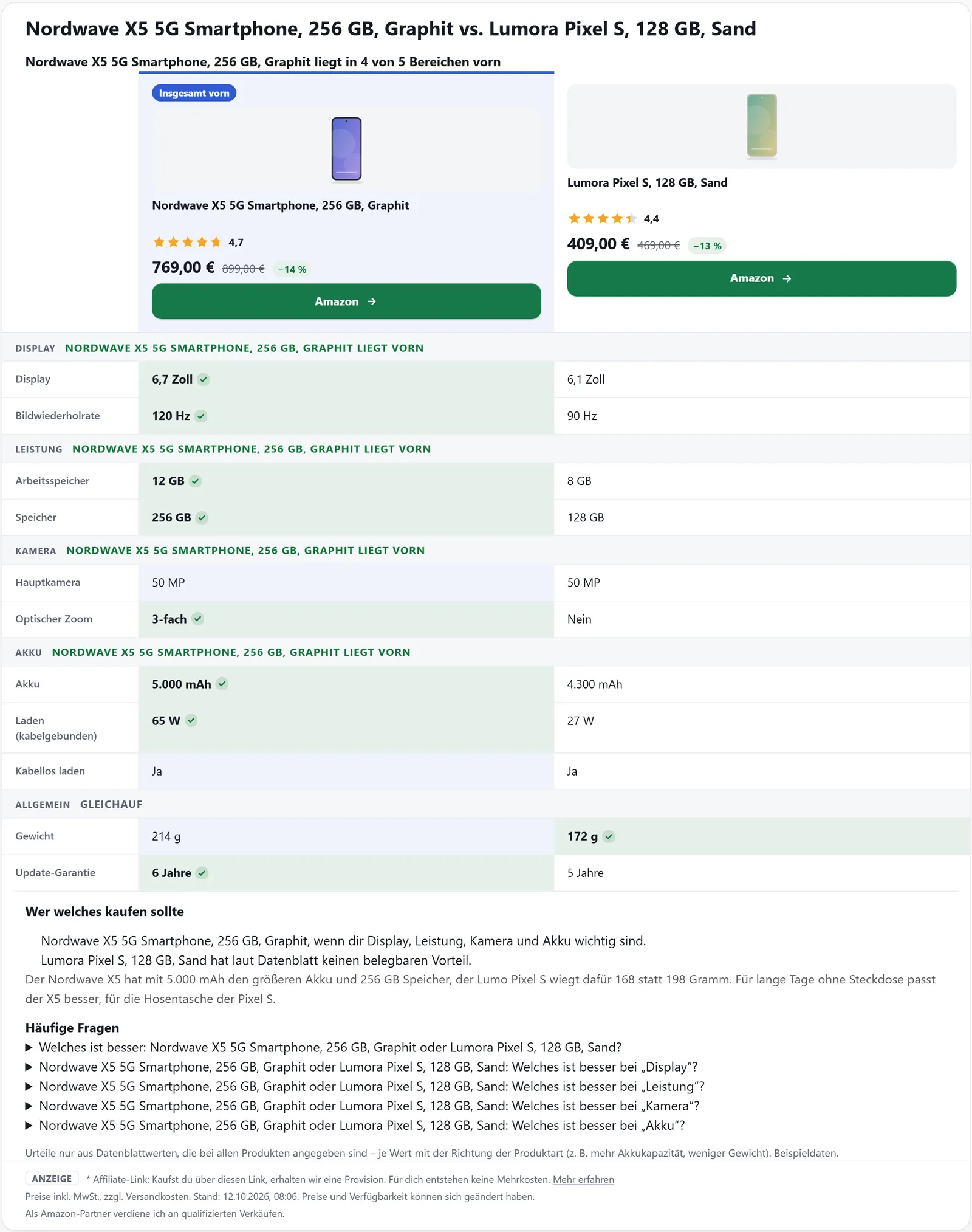
Comparison tables put several products side by side, one column each: price, rating, data sheet, pros and cons. You build them in the dashboard or right in the shortcode, and prices, images and specifications stay current on their own.

  • Data sheet in groups, with the best value of each row marked
  • “Show differences only” toggle
  • Saved tables with your own rows as text or yes/no
  • One highlighted product with a badge such as “Test winner”

More about „Comparison tables“

Saved comparison table with custom rows, yes/no values and a highlighted product

Boxes and displays

Lists

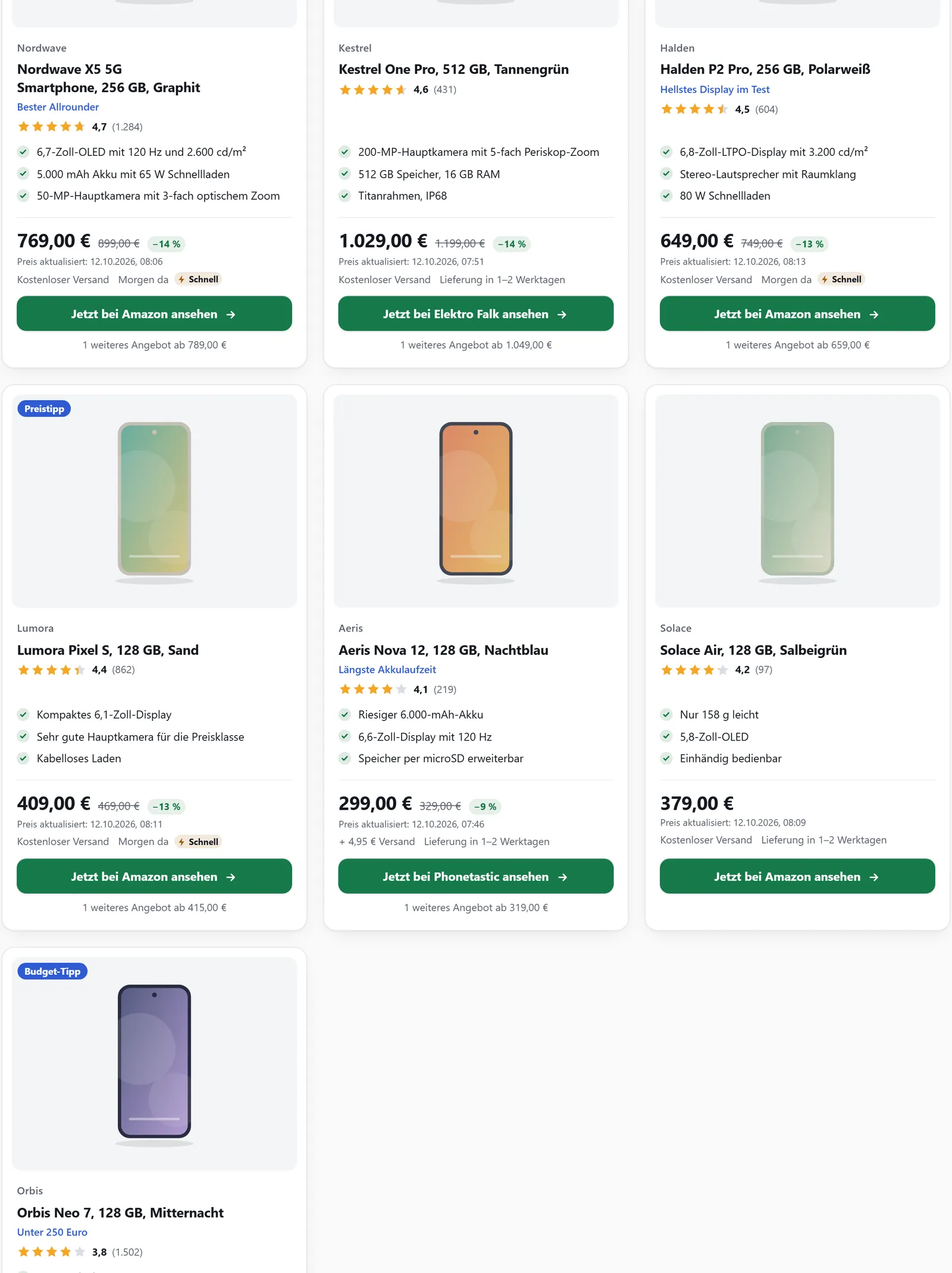
You maintain lists once in the affilinode dashboard and release them for your websites. In a post they appear as a grid, rows or a carousel, with prices and availability fetched fresh from affilinode every time.

  • Hand-picked lists with a badge and note for each entry
  • Dynamic lists by product type, brand and sort order
  • Amazon bestsellers and new releases for a keyword
  • Swipeable, accessible carousel with no automatic slide change

More about „Lists“

List as a grid (template="grid")

Boxes and displays

Test review

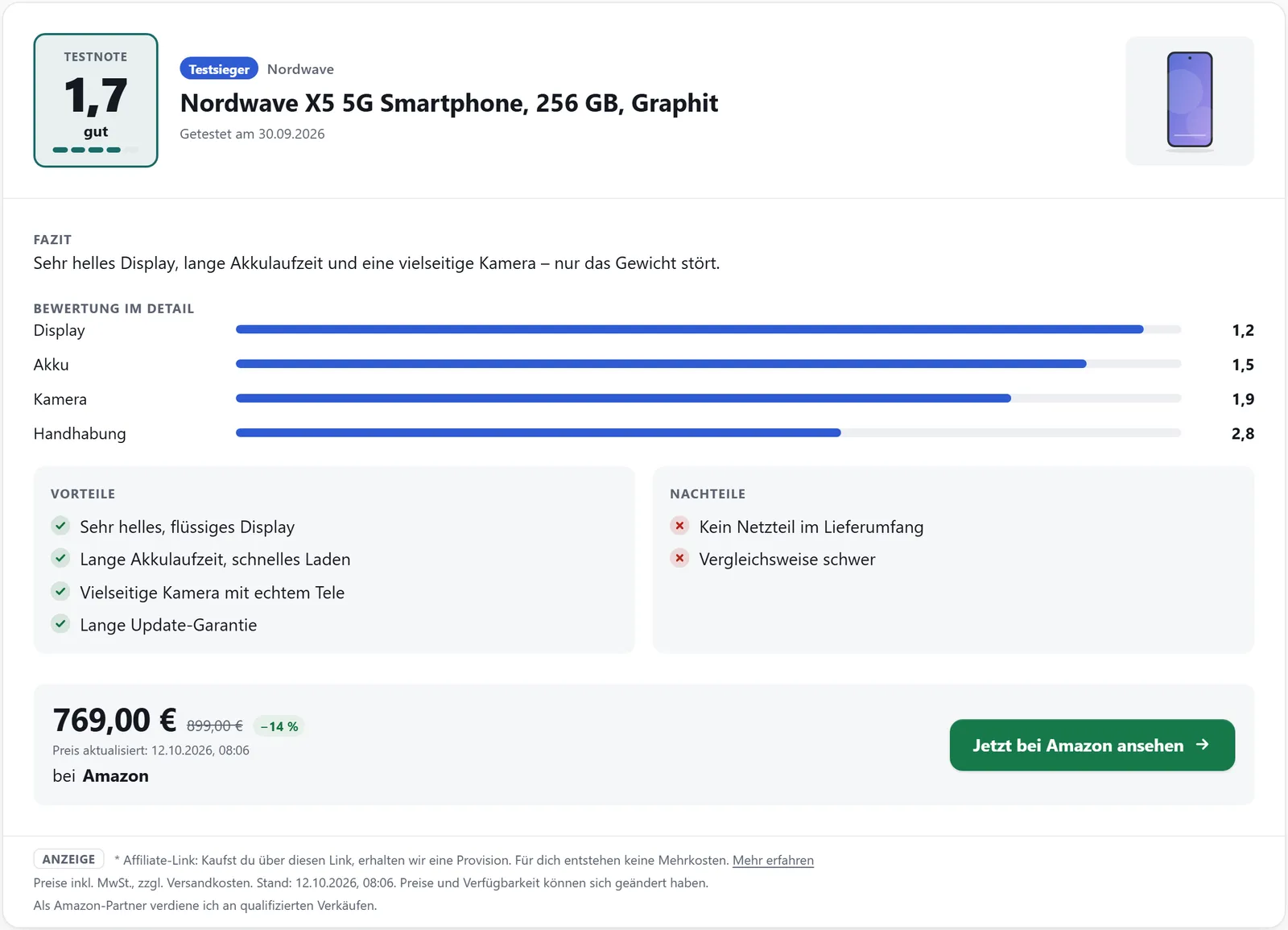
If you have tested a product yourself, you record the result with the product in the dashboard. Your site turns it into a test review with score, verdict, criteria, pros and cons and a button to the best offer.

  • Scales: school grade 1.0–6.0, points 0–10 or 0–100, stars 0–5
  • Verdict in five steps, from “very good” to “poor”
  • Up to 20 individual criteria shown as bars
  • Separate versions per language and website, overridable in a post

More about „Test review“

Test review with score, verdict, criteria as bars, and pros and cons

Boxes and displays

Product pages

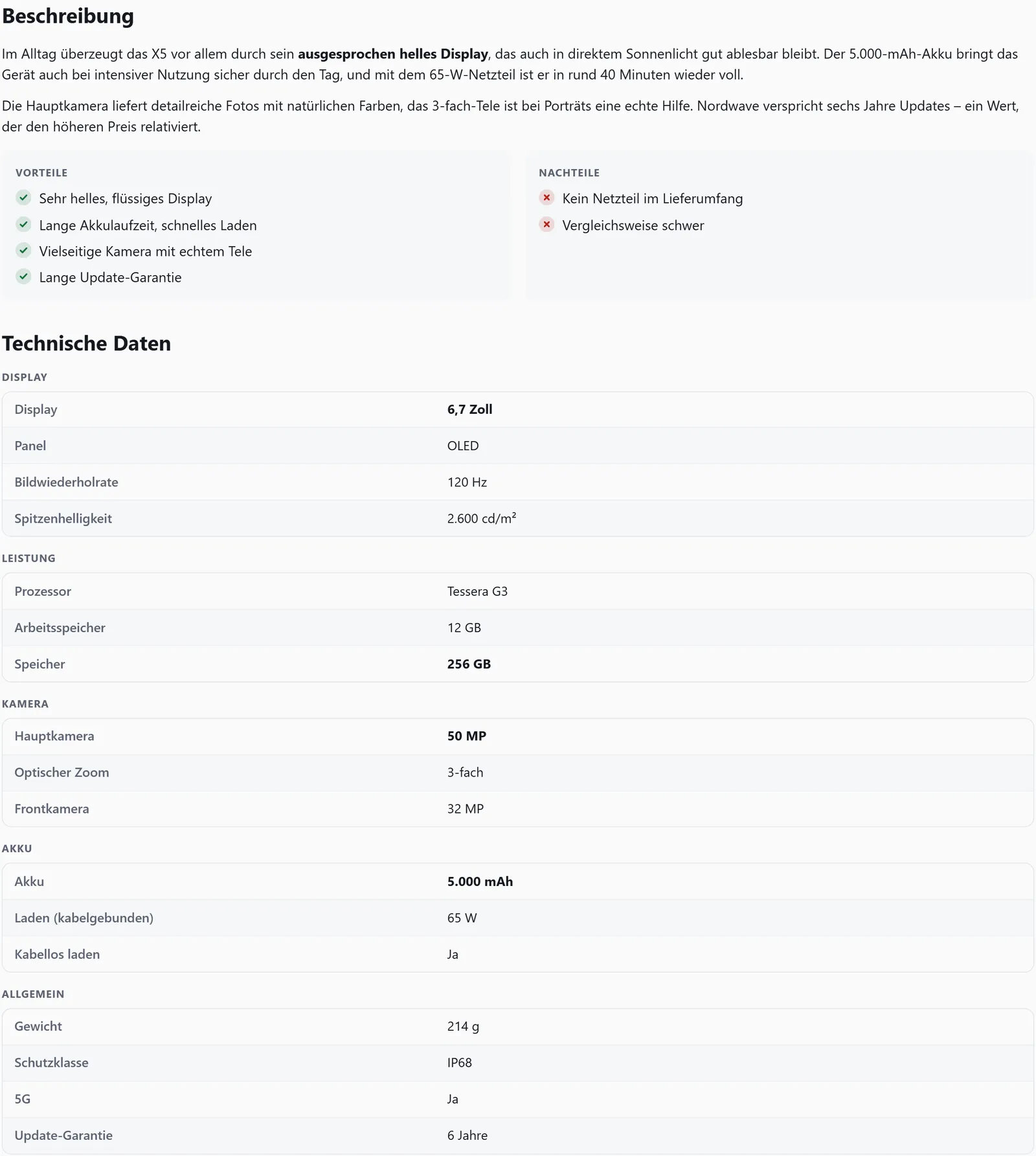
Product pages give every product its own page on your WordPress site. If you want, the plugin creates them every hour for new products and adds questions from the data sheet, category hubs and breadcrumbs.

  • Box, description with pros and cons, your own text, price comparison and technical data
  • Created automatically for every active product, as a draft or published right away
  • Frequently asked questions from the data sheet with schema.org FAQPage
  • Category hubs with subcategories, search and a sitemap entry

More about „Product pages“

Product details with description, pros and cons, and grouped technical data

For editors

Blocks, shortcode generator and page builders

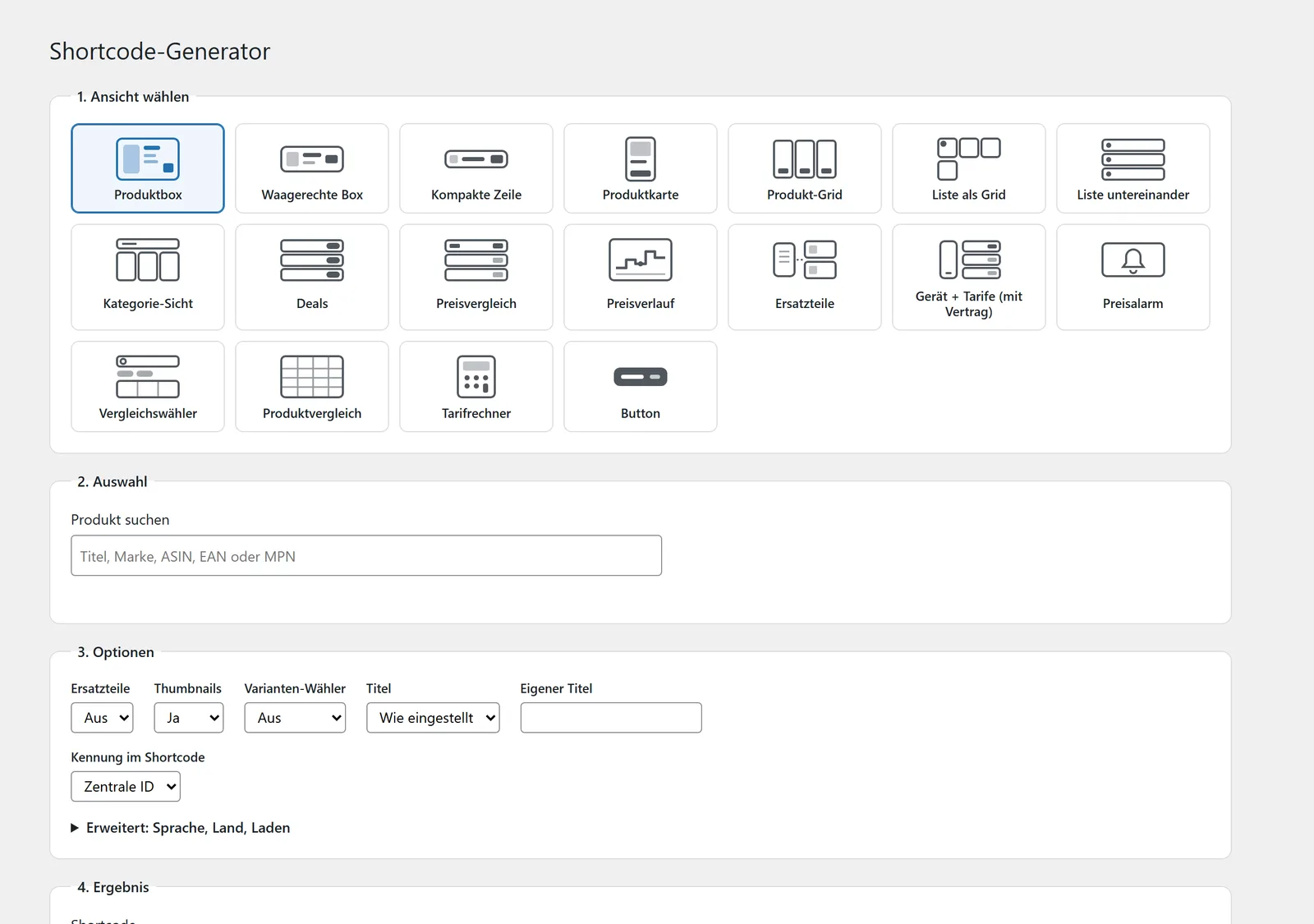
Find a product by title, brand, ASIN, EAN or MPN and insert the box you need – in the editor you already use. Every route produces the same output as the shortcode: same templates, same caching, same tracking.

  • Blocks for every box type in the block editor, with product search instead of IDs
  • Shortcode generator with live preview, also in the classic editor
  • Elementor widgets and modules for Divi, WPBakery and Beaver Builder
  • Sidebar widget “affilinode” for sidebars and footers

More about „Blocks, shortcode generator and page builders“

The shortcode generator: pick a layout, find the product, set the options.

All features at a glance

Every feature has its own page with screenshots, examples and the limits you should know about.

Boxes and displays

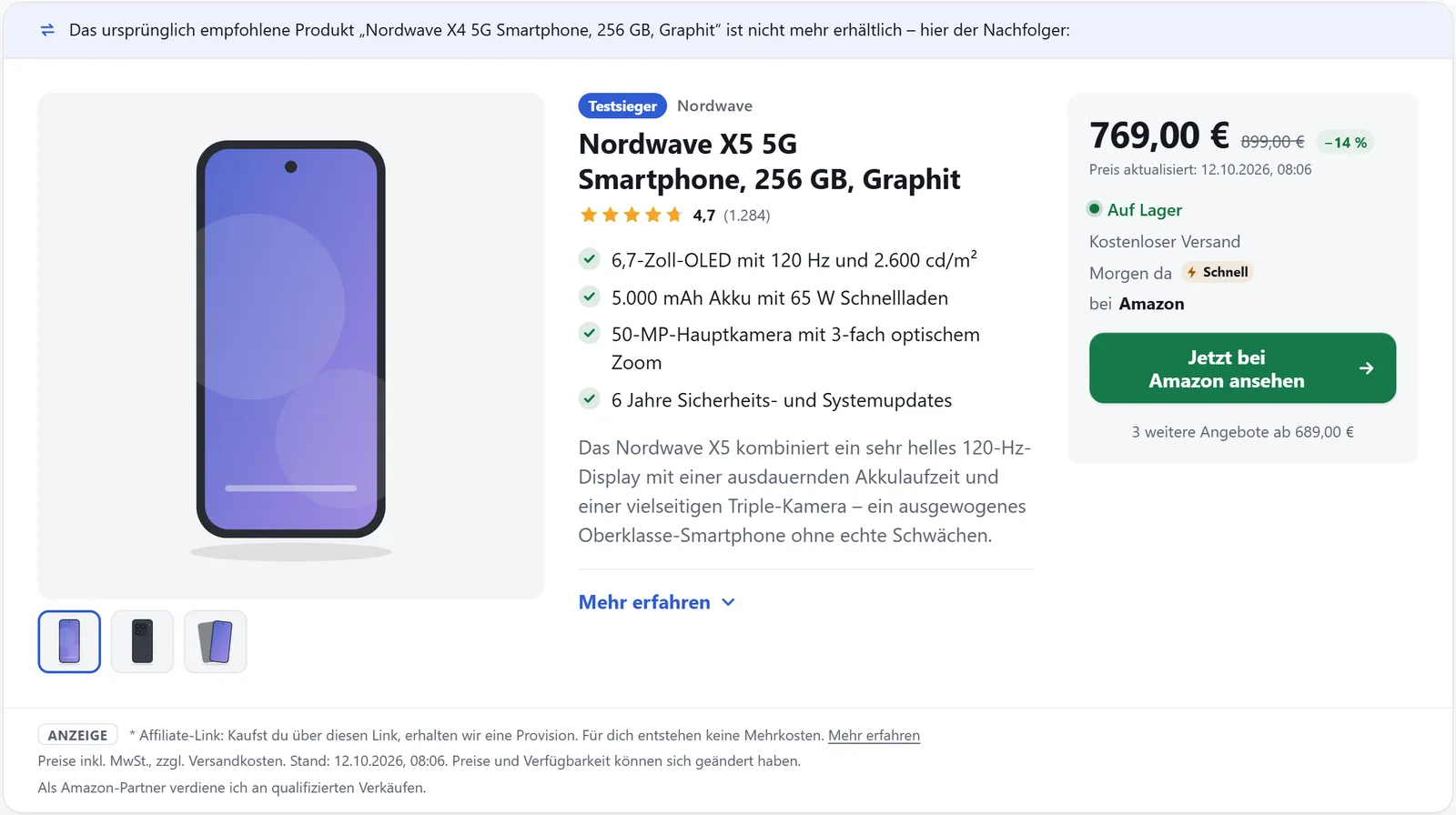
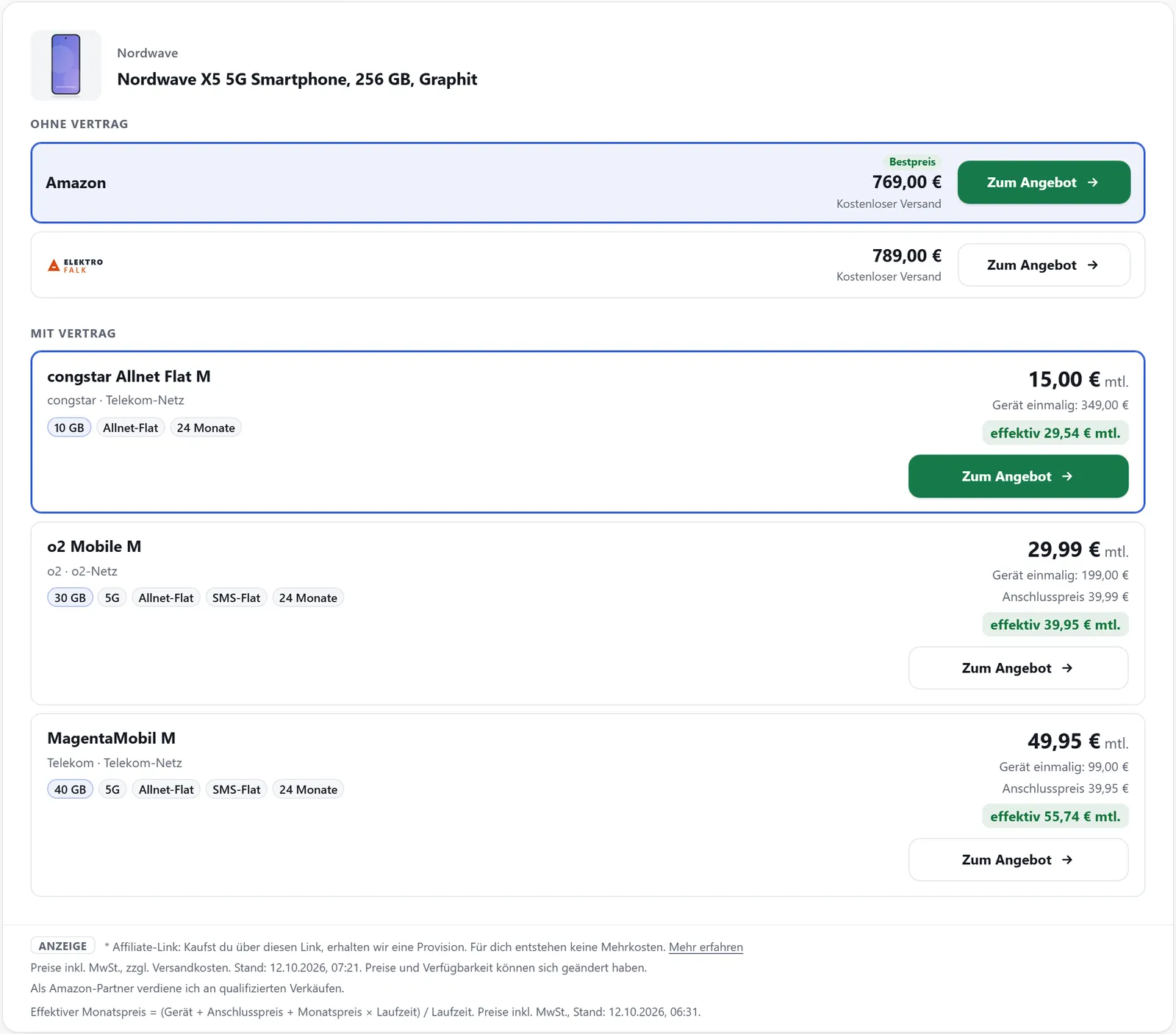
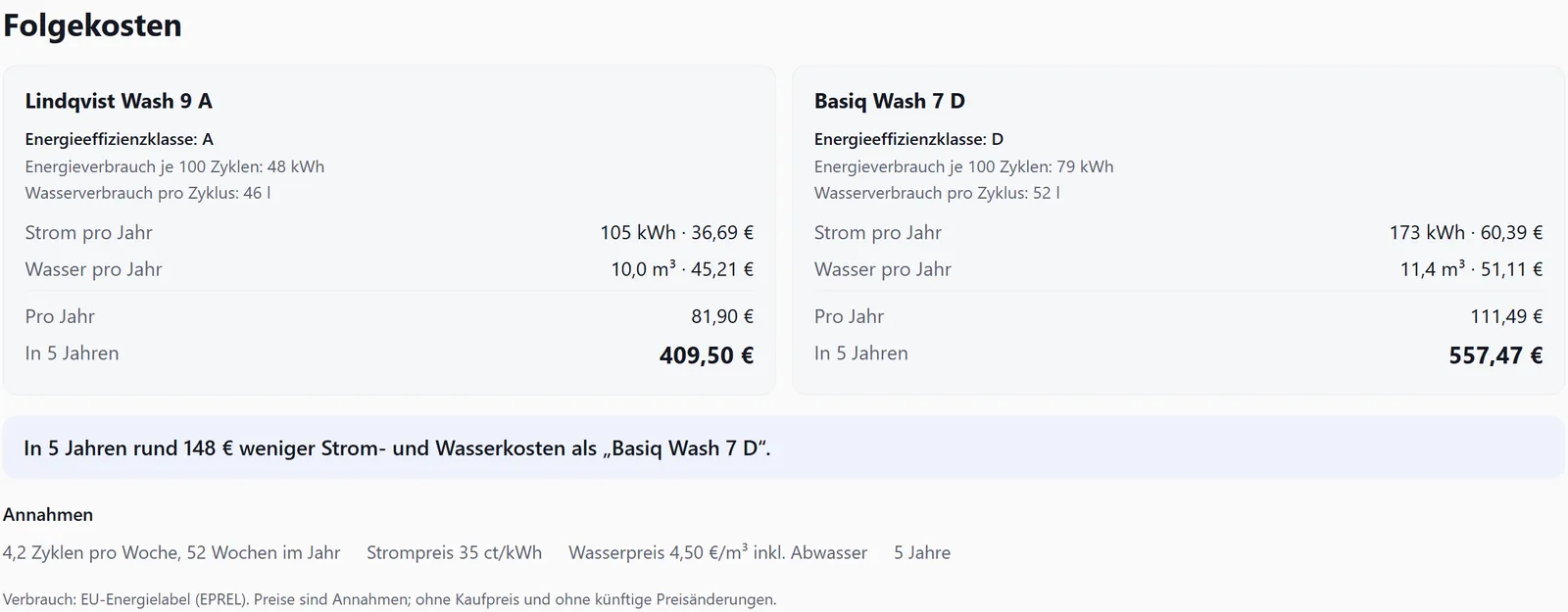
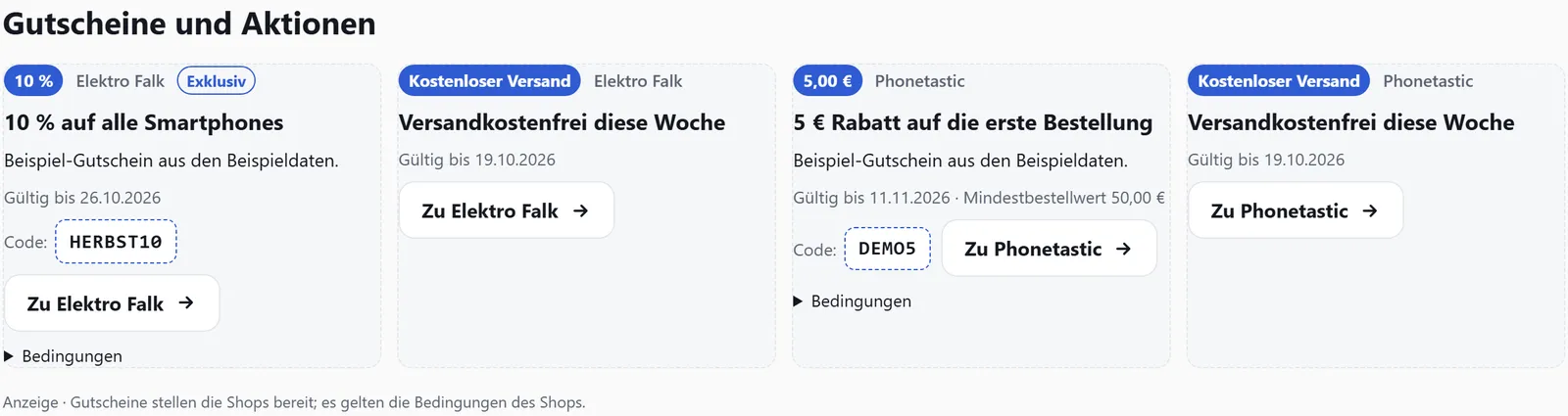
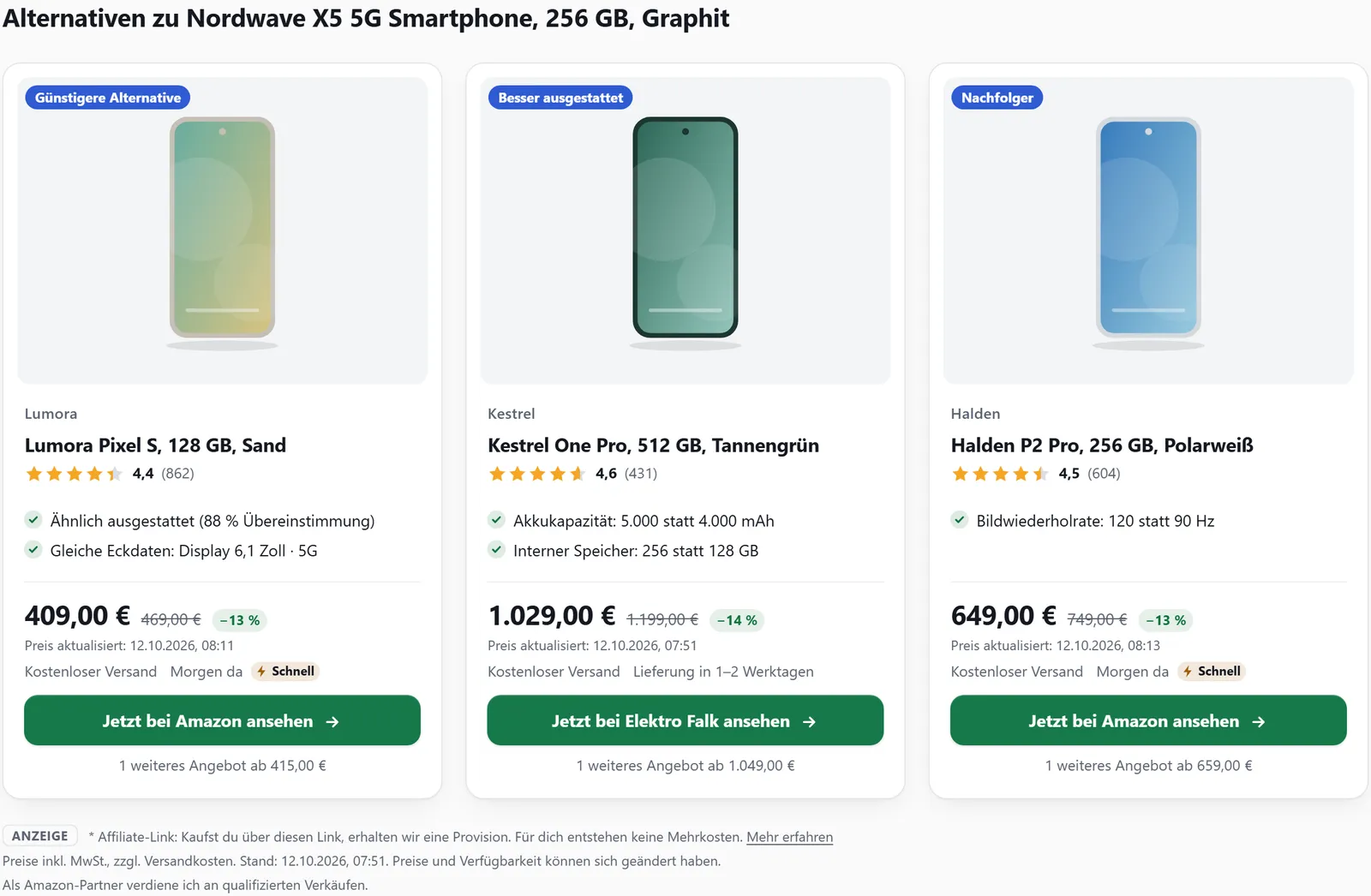
Product boxProduct boxes in four layouts with the best offer, more offers, delivery times and highlights – prices and stock stay up to date.Learn more →Price comparisonEvery offer for a product from several shops in one table – with shipping, delivery time and price date, and eBay always in a block of its own.Learn more →Comparison tablesComparison tables with the best value marked in each row, your own rows and a test winner – saved in the dashboard or built in the shortcode.Learn more →ListsMaintain best-of lists in one place and show them as a grid, rows or carousel – hand-picked, rule-based or from Amazon bestsellers.Learn more →Test reviewShow your own tests with a score, test date, verdict and individual criteria – as a box of its own, in product boxes and in comparison tables.Learn more →Product pagesA page of its own for every product, created automatically, with box, description, price comparison, specs, FAQ and breadcrumbs – per language too.Learn more →Replacements and successorsWhen a product is no longer available, the box shows its successor or an alternative with a note – plus matching spare parts and accessories.Learn more →Device + tariffsShow smartphones without a contract and with a tariff separately, compared by effective monthly price – plus tariff calculators as a box.Learn more →Running costsElectricity and water costs of an appliance per year and over several years, from the EU energy label – optionally next to a second appliance.Learn more →Vouchers and pack sizesMerchant vouchers and deals as cards with “Show code” – and the cheapest offer for each pack size, with its price per piece.Learn more →

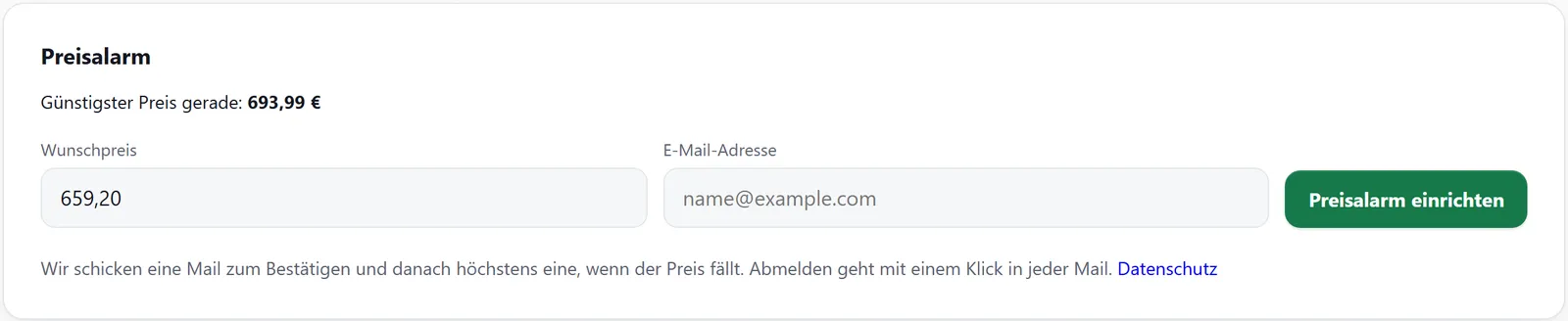
Amazon Associates: if your affilinode account uses Amazon, price history, price alerts, deal lists and price signals are switched off (policy 6(y)) – unless you confirm a written exception from Amazon in the settings. Amazon prices are never recorded.

All features →

Installation in four steps

  1. Install and activate

    Once the plugin is approved on wordpress.org, search for “affilinode” under “Plugins → Add New”.

  2. Enter the API key

    Enter the site’s API key under “affilinode → Settings”. You find it in the dashboard under “Websites” → “Plugin and API key”. Without a key, switch on demo mode.

  3. Test the connection

    Click “Test connection”.

  4. Insert a box

    Add a product box to a post with the “affilinode” block, the shortcode generator or your page builder’s module.

On multisite, settings apply network-wide (Network Admin → affilinode) and can be overridden per site. In detail: Connecting the plugin (German).

Requirements

WordPress
from 6.5
PHP
from 8.1
Tested up to
WordPress 7.1
Current version
0.66.0
Licence
GPLv2 or later

Demo mode without an account

Try everything before you create an account: demo mode shows bundled sample products and does not contact any server.

Shortcodes

All attributes are listed in the help article Shortcodes. The former names [ac_…] keep working (Settings → Compatibility).

  • [affilinode_product]
  • [affilinode_products]
  • [affilinode_offers]
  • [affilinode_compare]
  • [affilinode_button]
  • [affilinode_list]
  • [affilinode_amazon_list]
  • [affilinode_deals]
  • [affilinode_price_history]
  • [affilinode_price_alert]
  • [affilinode_stock_alert]
  • [affilinode_spare_parts]
  • [affilinode_tariffs]
  • [affilinode_compare_picker]
  • [affilinode_calculator]
  • [affilinode_details]
  • [affilinode_rating]
  • [affilinode_link]
  • [affilinode_field]
  • [affilinode_search]
  • [affilinode_advisor]
  • [affilinode_compat]
  • [affilinode_alternatives]
  • [affilinode_top]
  • [affilinode_glance]
  • [affilinode_scatter]
  • [affilinode_energy]
  • [affilinode_versus]
  • [affilinode_coupons]
  • [affilinode_packs]
  • [affilinode_faq]
  • [affilinode_breadcrumbs]
  • [affilinode_context]

Privacy

The plugin does not contact any external server until you enter an API key, and it requests product data server-side. It never sends your visitors’ IP addresses or cookies to affilinode; product images are loaded by the visitor’s browser from the affilinode CDN or the merchant. Which services the plugin contacts and when is described in our privacy policy (German).

Help and support

Guides in the help center (German), questions and bug reports via thecontact page. All changes in theChangelog.