Features · For editors
Blocks, shortcode generator and page builders
Find a product by title, brand, ASIN, EAN or MPN and insert the box you need – in the editor you already use. Every route produces the same output as the shortcode: same templates, same caching, same tracking.
In all plans
What it does
- Blocks for every box type in the block editor, with product search instead of IDs
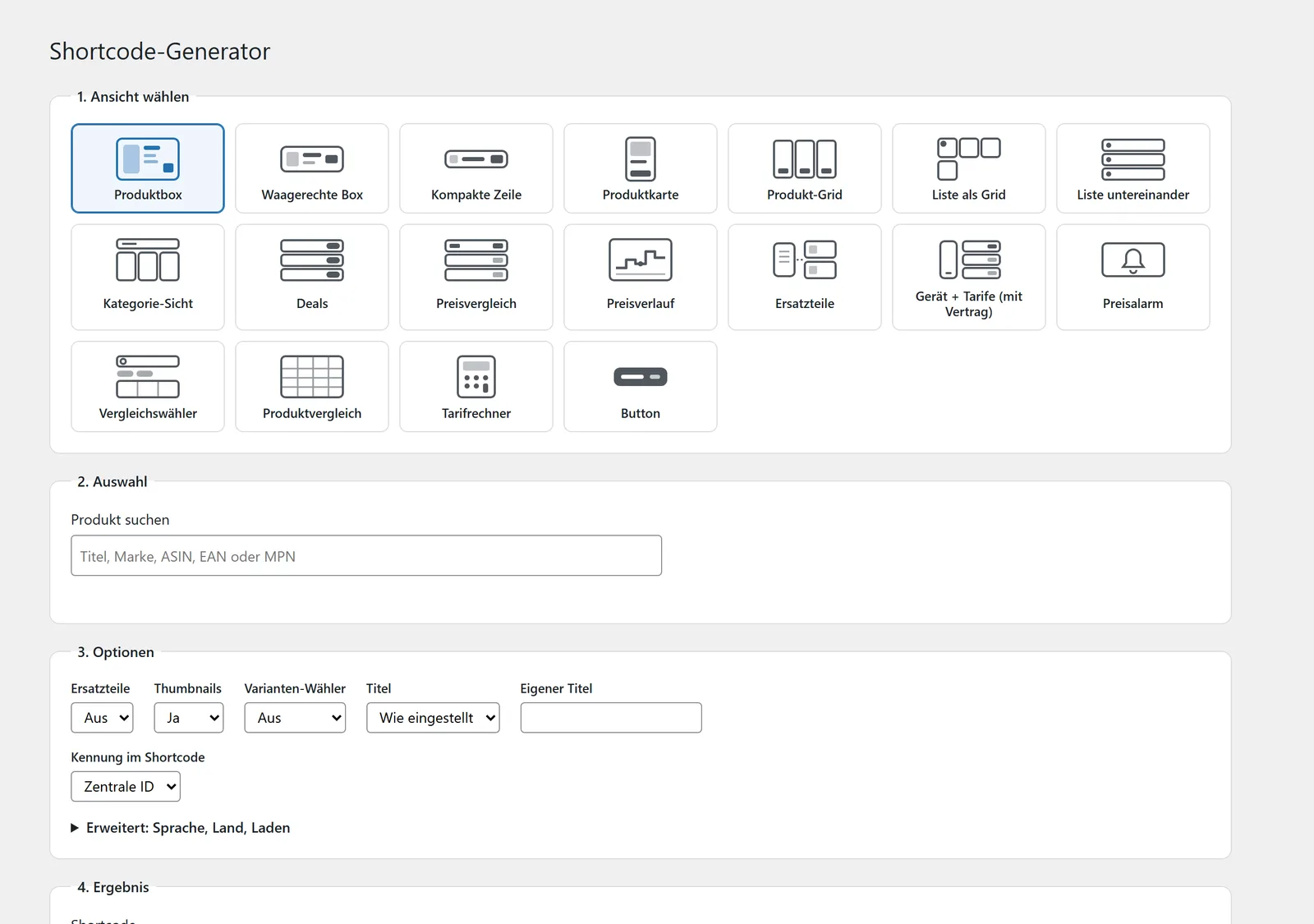
- Shortcode generator with live preview, also in the classic editor
- Elementor widgets and modules for Divi, WPBakery and Beaver Builder
- Sidebar widget “affilinode” for sidebars and footers
- Import new products straight from the generator
- Editor sidebar that checks the products in the current post
Block editor and shortcode generator
The block editor has a block for every layout, such as “Product box”, “Price comparison”, “Product comparison”, “Text link” or “Buy button”. You search for the product inside the block by title, brand, ASIN, EAN or MPN instead of typing IDs.
If you prefer shortcodes, build them under affilinode → Shortcode generator: pick a layout, find the product, set the options, copy the result. The list under affilinode → Products shows the ready-made shortcode for every product with a copy button.
Elementor, Divi, WPBakery, Beaver Builder and widgets
Elementor gets an “affilinode box” widget with every box type, plus product box, product list and price comparison as widgets of their own. Divi, WPBakery and Beaver Builder each get an “affilinode” module: choose the box type and only its options are shown. The box is rendered on the server right inside the builder.
Elementor also stores the matching shortcode in the post, so the boxes keep working if you switch Elementor off. The modules are only loaded when the builder is active.
For sidebars and footers there is the “affilinode” widget with a product box, product list or price comparison – on the classic widgets screen, in the block widget editor as a legacy widget and in the Customizer. Its clicks count as a box type of their own, “Sidebar widget”.
Product missing? Import it on the spot
If the generator’s search finds nothing, enter an ASIN, EAN/GTIN, MPN, product URL or search term. The import follows the same rules and uses the same quota as the product import page, and the new product is selected straight away.
A 2-pack or 3-pack never becomes a product of its own – it is added as a multipack offer of the single product. If a match is ambiguous, you pick the right one right in the dialog.
Checks while you write
The sidebar “affilinode: products in this post” shows while you write which products are available and which ones only show a replacement or successor – even for unsaved content. One click puts the replacement into the box.
It also suggests internal links to other posts that feature the same products.
Examples
Product box as the generator creates it
[affilinode_product id="…"]Grid of three products
[affilinode_products ids="…,…,…" columns="3"]Good to know
- Without an affilinode account you can try everything in demo mode with bundled sample products. Demo mode does not contact any server.
- Divi and Beaver Builder have a plain ID field: copy the product ID from the shortcode under affilinode → Products. WPBakery searches right below the field, like Elementor.
- Block themes without widget areas use the “affilinode” block instead of the widget.
Which shops you can use depends on the plan.
Guide in the help center (German): shortcodes, plugin-werkzeuge
Goes well with
Try it yourself
14 days with all features, no payment details. Afterwards your account continues on the free Basic plan.