Features · Boxes and displays
Product box
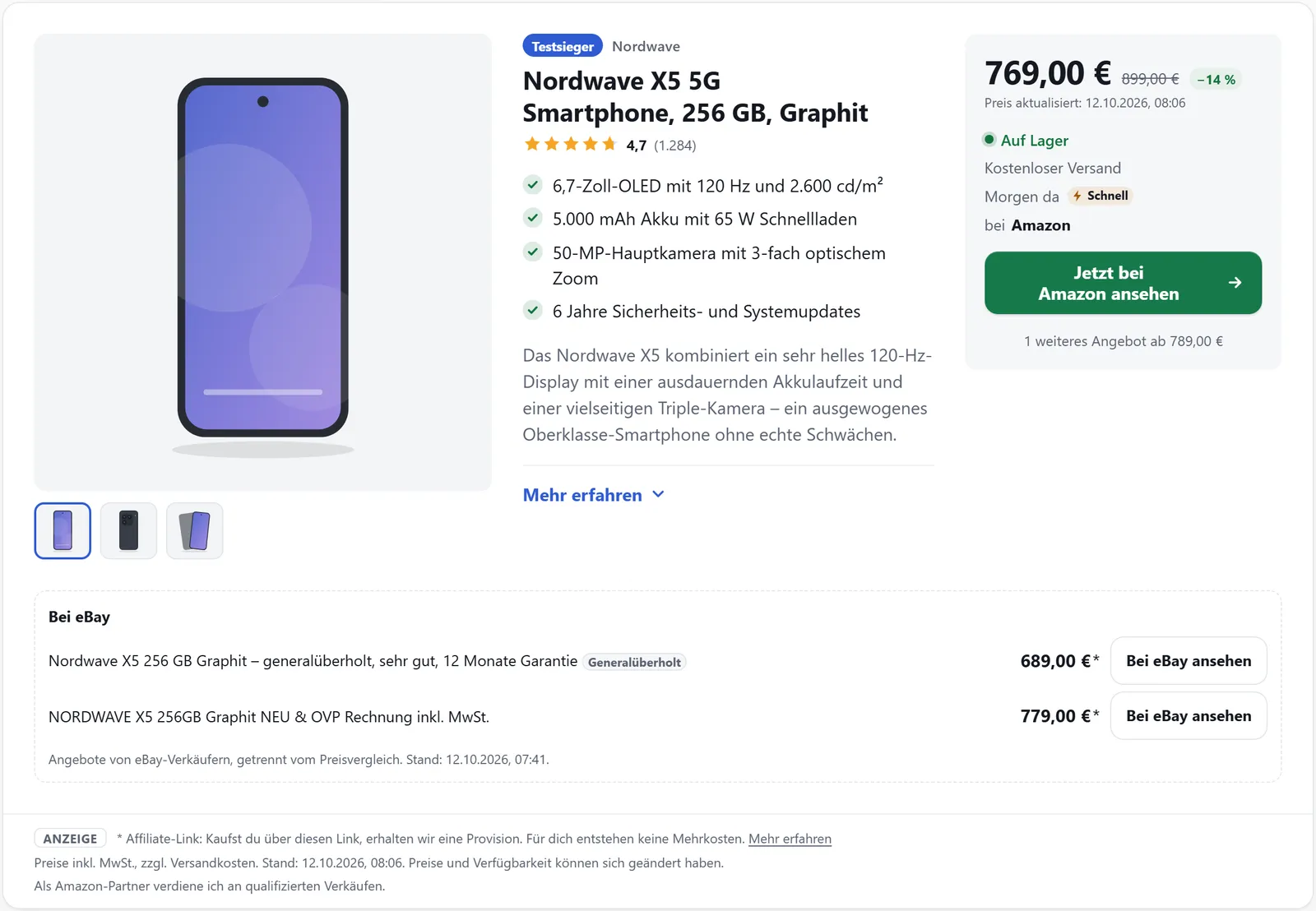
The product box is the basic building block of affilinode: image, title, highlights, the best offer with a button and a pointer to further offers. Prices, availability and successors keep coming from affilinode – you only place the box in your post once.
In all plans
What it does
- Four layouts: box, horizontal box, compact row and card
- Best offer with price, shipping, delivery time and “Price updated … ago”
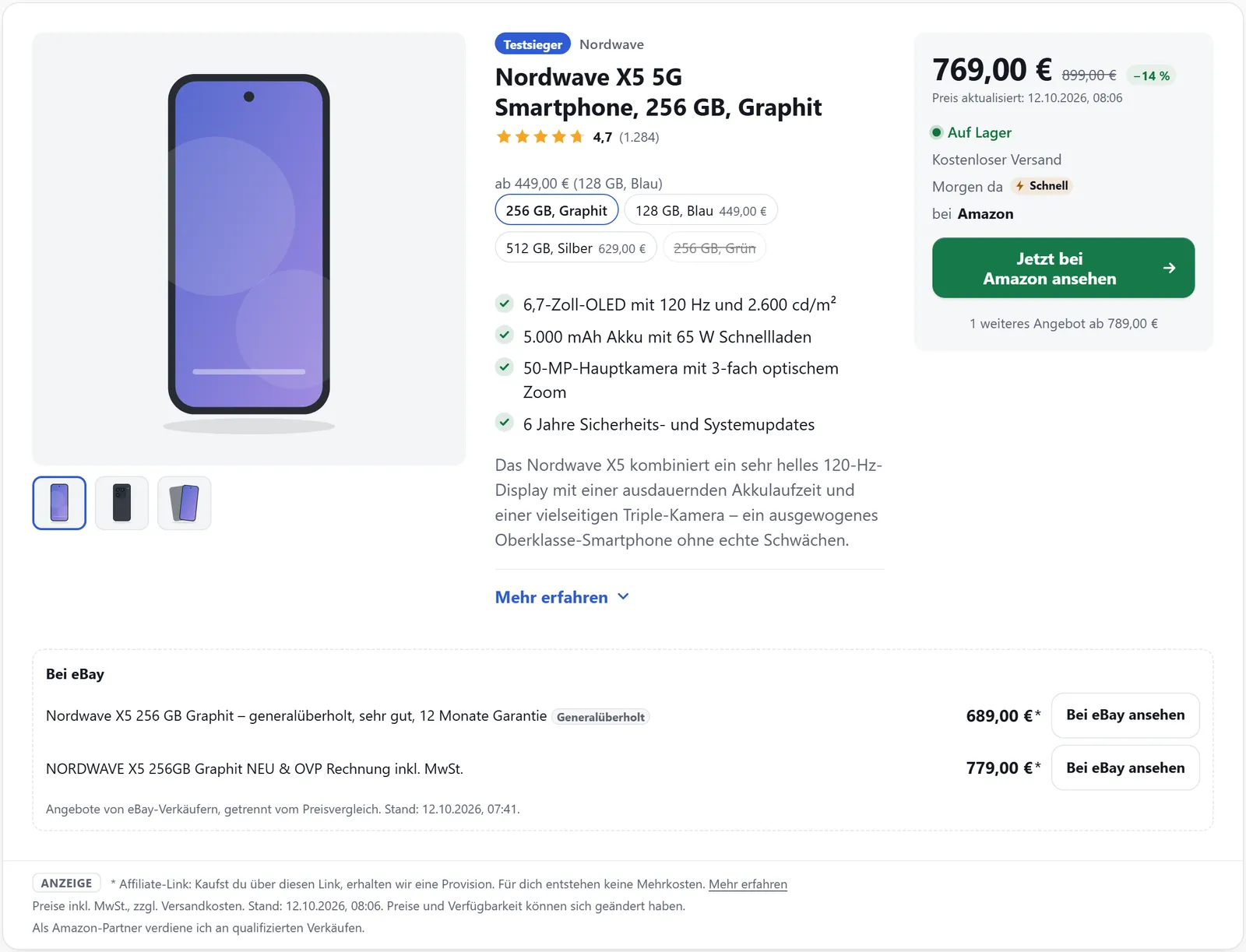
- Variant picker for colours and storage sizes with variants="1"
- Your own templates from the template editor with template="custom:…"
- As a block, Elementor widget, Divi, WPBakery or Beaver Builder module, sidebar widget or shortcode
- Rendered on the server on AMP pages, without JavaScript
Getting the box into your post
In the block you search for the product by title, brand, ASIN, EAN or MPN instead of typing IDs. If you prefer shortcodes, affilinode → Products shows the finished shortcode for every product with a copy button, or you put it together in the shortcode generator with a live preview.
The plugin caches the data and refreshes it in the background. If the API cannot be reached, the last known data stays in place. The default “hybrid” mode writes the box straight into the HTML and only reloads it when the visitor’s country differs or prices have become too old, so it works well with page caches.
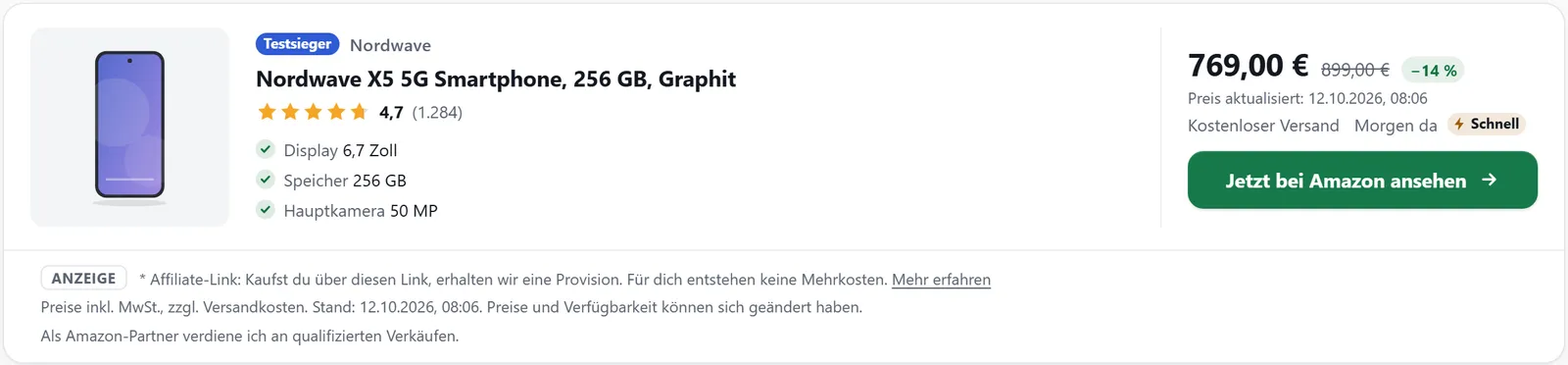
Four layouts, several products
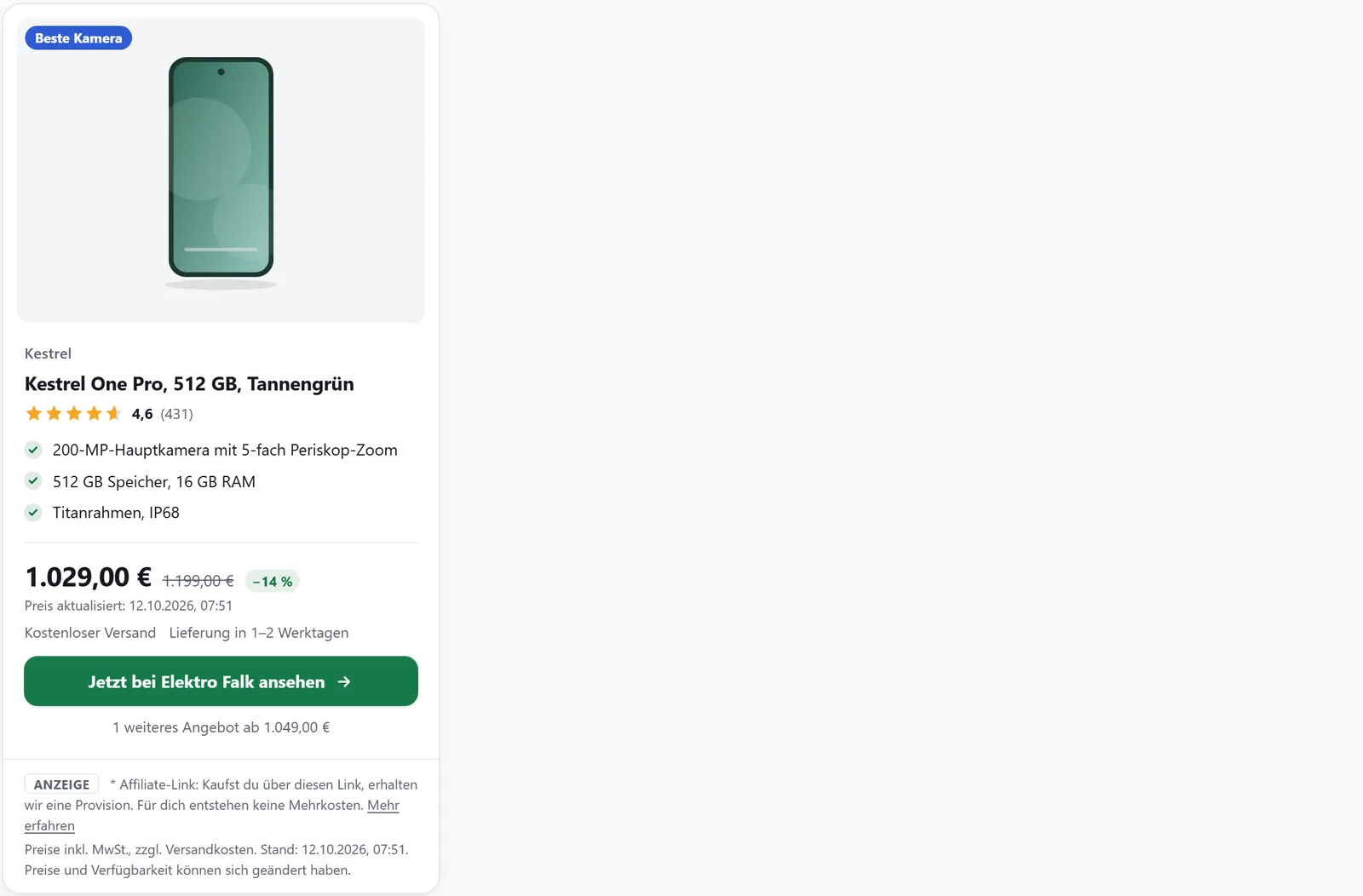
Besides the standard box there is the horizontal box (template="horizontal"), the compact row (template="compact") and the card (template="card"). title_style chooses a short or detailed product title, and thumbs="0" hides the thumbnails.
[affilinode_products] shows several products side by side as a grid with two to four columns. If none of the layouts suits you, design your own box in HTML with placeholders under affilinode → Templates – the plugin still adds disclosures, the price date and rel="sponsored" every time.

What visitors see
Below every price the box says when it was last confirmed, for example “Price updated 2 hr. ago”. Prices older than the “Maximum price age” (24 hours by default) are hidden, and the button reads “Check current price” instead.
If the product is not available anywhere, a confirmed successor or alternative steps in, clearly labelled. Without a replacement you can hide the box with hide_unavailable="1".
Extras below the box
If you like, a box can show alternatives (alternatives="1"), “At a glance” (glance="1"), the merchant’s vouchers (coupons="1"), pack sizes (packs_box="1") or matching spare parts (spare_parts="1") underneath. Each extra can be switched on for all boxes in the settings or for a single box in the shortcode.
Examples
Product box in the standard layout.
[affilinode_product id="…"]Card with a variant picker.
[affilinode_product id="…" template="card" variants="1"]Several products as a three-column grid.
[affilinode_products ids="…" columns="3"]Good to know
- Amazon prices are never shown once they are older than 24 hours – not even with a higher “Maximum price age”.
- eBay offers from the eBay API appear in a separate “On eBay” block below the box and never count as the best price.
- If your account uses Amazon, price signals such as “price dropped” stay off unless you confirm a written exception from Amazon (policy 6(y)).
Which shops you can use depends on the plan.
Guide in the help center (German): shortcodes
Goes well with
Try it yourself
14 days with all features, no payment details. Afterwards your account continues on the free Basic plan.