Features · Boxes and displays
Replacements and successors
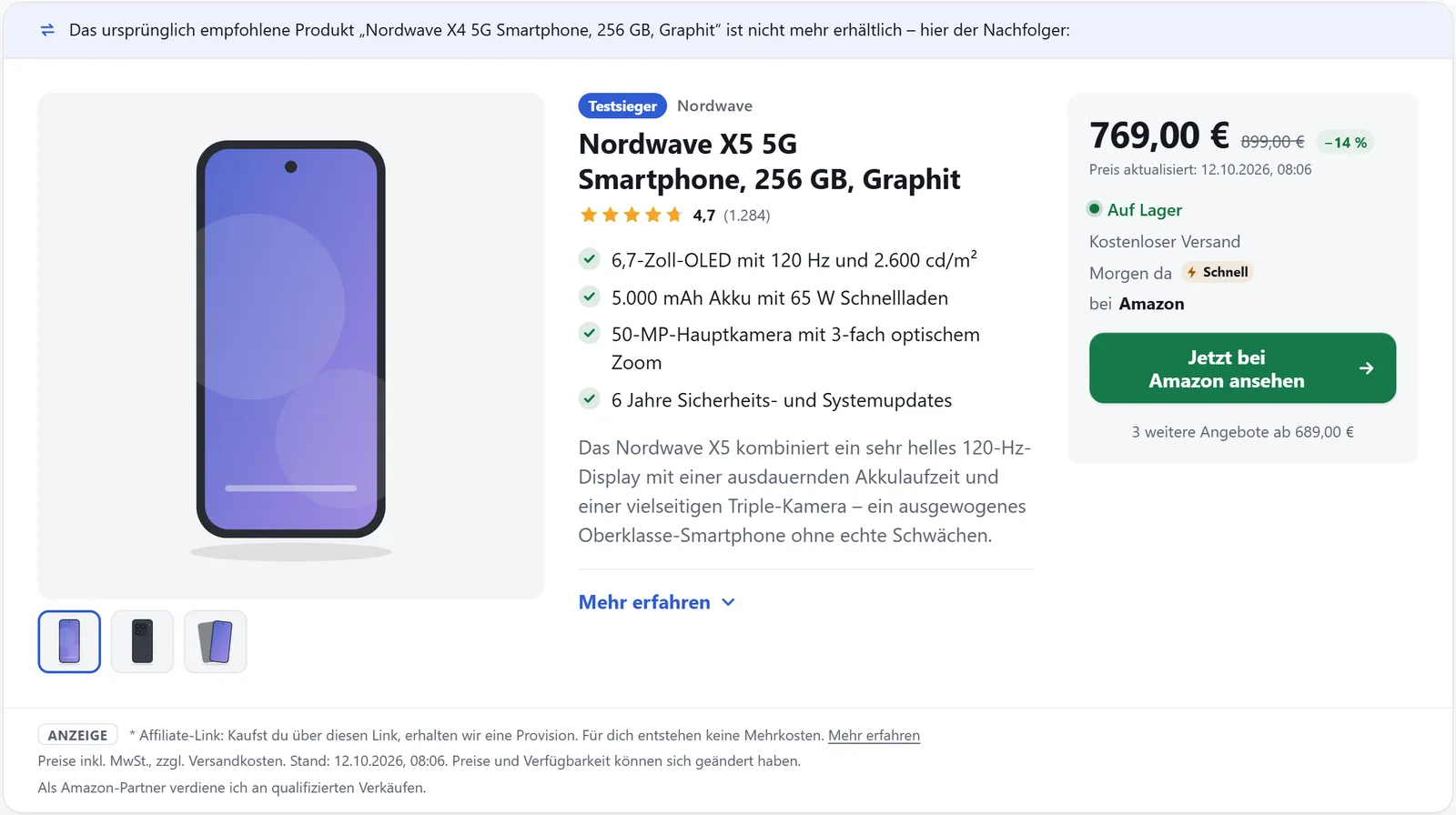
Products disappear from shops, but your posts stay. affilinode then steps in with a confirmed successor or an alternative and says so openly. For appliances and devices you can also show matching spare parts.
In all plans
What it does
- Order per website: successor first, then alternative – or the other way round
- Another shop with the same product always comes first
- Replacements carry a visible note about the original product
- Hide single boxes of unavailable products without a replacement
- Spare parts of a device as a grid or list
When a replacement steps in
For each website you decide in the dashboard what happens when a product can’t be bought: successor first, then alternative (the default), alternative first, successor only, alternative only, or no replacement. Optionally, replacements also appear for discontinued products, not just for ones that are temporarily out of stock.
If another shop sells the same product, that shop always comes first. A replacement carries a note such as “The product originally recommended is no longer available – here is its successor”. In lists, replace decides whether the note is shown or whether no replacement appears at all.
Confirming successors, keeping posts tidy
You confirm successors at the product in the “Replacement products” tab, optionally with your own choices per website. The plugin’s post check lists posts every hour whose boxes no longer show an available offer, sorted by clicks – with replacement suggestions and a “Replace” button that can be undone via the revision.
Hide instead of replace
hide_unavailable="1" hides a product box, button, text link or field when the product isn’t available anywhere and no replacement is set up. Visitors then see nothing, logged-in editors see a short note. The setting “Hide unavailable single boxes” does the same for all product boxes and buttons.
Spare parts and accessories
[affilinode_spare_parts] shows a device’s spare parts as a grid or list, and spare_parts="1" adds them below a product box. On product pages the plugin also links to the pages of accessories and spare parts.
Examples
Spare parts of a device as a grid.
[affilinode_spare_parts id="…" template="grid" columns="3"]Product box with matching spare parts below.
[affilinode_product id="…" spare_parts="1"]Hide the box when nothing is available and there is no replacement.
[affilinode_product id="…" hide_unavailable="1"]Good to know
- eBay offers from the eBay API do not count for replacement products.
- No post changes without a click. The plugin only replaces products automatically if you switch on “Replace automatically if the successor is unambiguous” (off by default).
- Text links and fields in running text are only hidden with the attribute, so no sentence loses a word.
Which shops you can use depends on the plan.
Goes well with
Try it yourself
14 days with all features, no payment details. Afterwards your account continues on the free Basic plan.