Features · Interactive for visitors
Alternatives and top picks
These boxes place a product within its category – based on data sheet values, your test scores and current prices. Every statement comes with a reason readers can follow.
In all plans
What it does
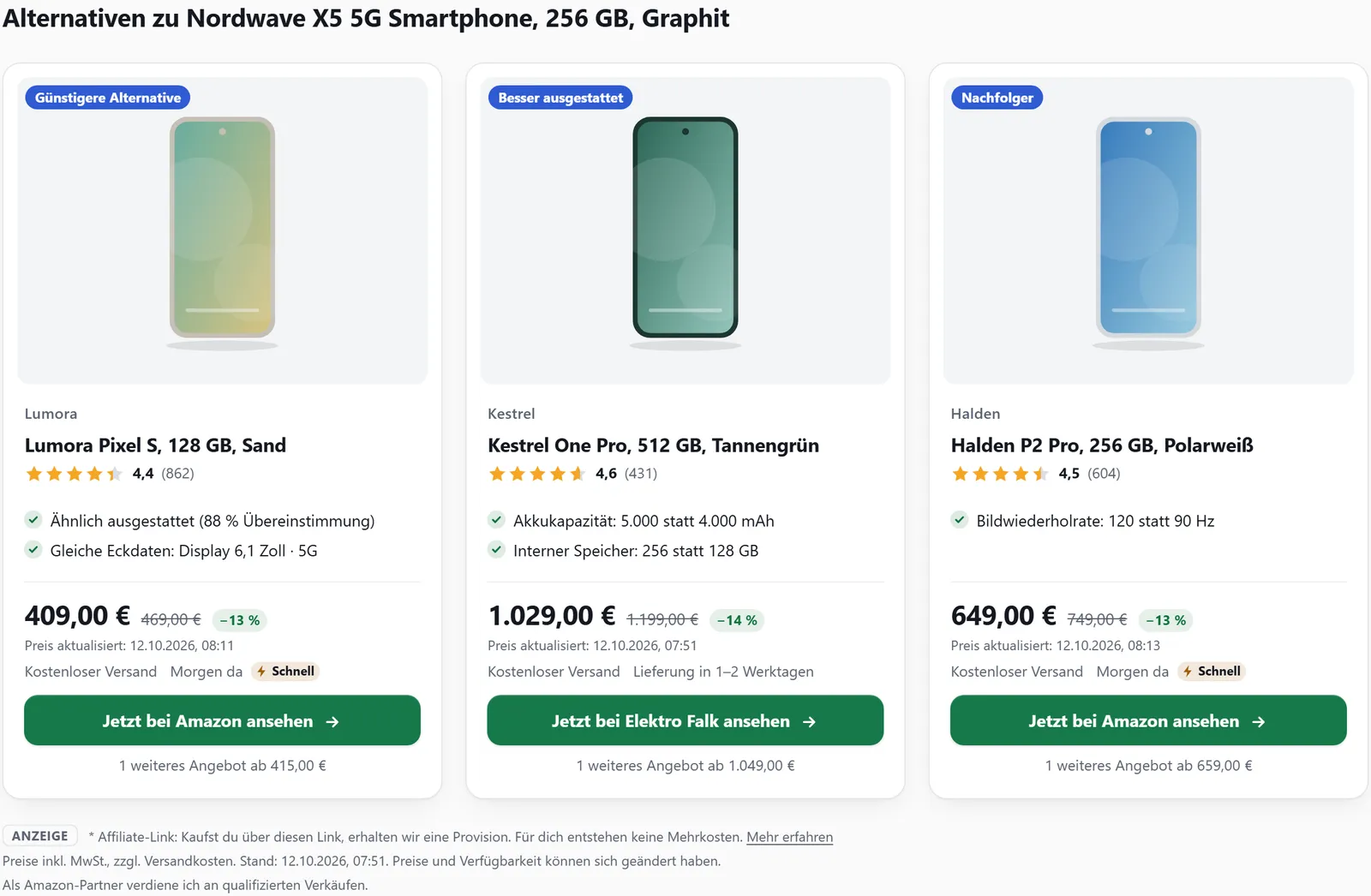
- Alternatives: “Cheaper alternative”, “Better equipped” and “Successor”
- Reasons and trade-offs on every card, never claims about savings
- “Best in category”: top 3 by test score, value for money or a data sheet value
- “At a glance”: key values as tiles, ranked against the product type
- Price-performance chart: price against a key value, one point per product
Alternatives
The box shows small cards from your own products of the same type. “Cheaper alternative” means similar features and at least 10 % cheaper. “Better equipped” means better in at least one field, worse in no key field and at most 20 % more expensive. “Successor” comes from the successors you confirmed for the product.
Each card says why – for example “Battery capacity: 5,000 instead of 4,000 mAh” – and names trade-offs honestly (“Trade-off: without NFC”). The reasons never mention prices or savings. If you like, the box appears below every product box.

Best in category
[affilinode_top] shows the best products of a category from your account as a podium, with a badge on first place and a reason for each place. It ranks by your test score (badge “Test winner”), by value for money (“Best value”) or by a data sheet value. The ranking is worked out afresh on every request, so it follows new test scores, specs and prices on its own.
At a glance
The box shows the most important key values as tiles with an icon, the value and – where possible – five levels and a short line such as “better than 80 % of smartphones”. It compares against the technical data of all products of the same type in affilinode. Only fields with a clear direction are ranked, and only from 20 comparison values upwards.
Price-performance chart
[affilinode_scatter] shows the products of a category as a scatter chart: current price to the right, a data sheet value such as battery capacity upwards. The product of the post is highlighted, and every point links to its offer. Below, a collapsible table lists all values, for screen readers and without JavaScript too.
Examples
Alternatives in a fixed order.
[affilinode_alternatives id="…" kinds="cheaper,better,successor"]Top 3 smartphones by your test score.
[affilinode_top type="smartphone" by="rating" limit="3"]Six key values of a product as tiles.
[affilinode_glance id="…" count="6"]Good to know
- Amazon policy 6(y): if a compared price comes from Amazon and there is no written exception, the card just says “Alternative”. With Amazon in your account, the top 3 by value for money is not shown, and the chart only appears when none of its prices come from Amazon. Test scores and data sheet values always work.
- Only current prices count – Amazon prices at most 24 hours old; eBay offers from the eBay API don’t count.
- Alternatives, top 3 and the chart only use products from your account; “At a glance” compares with all products of the type in affilinode.
- Without its button, “At a glance” contains no affiliate links.
Which shops you can use depends on the plan.
Guide in the help center (German): alternativen, auf-einen-blick
Goes well with
Try it yourself
14 days with all features, no payment details. Afterwards your account continues on the free Basic plan.