Features · Boxes and displays
Test review
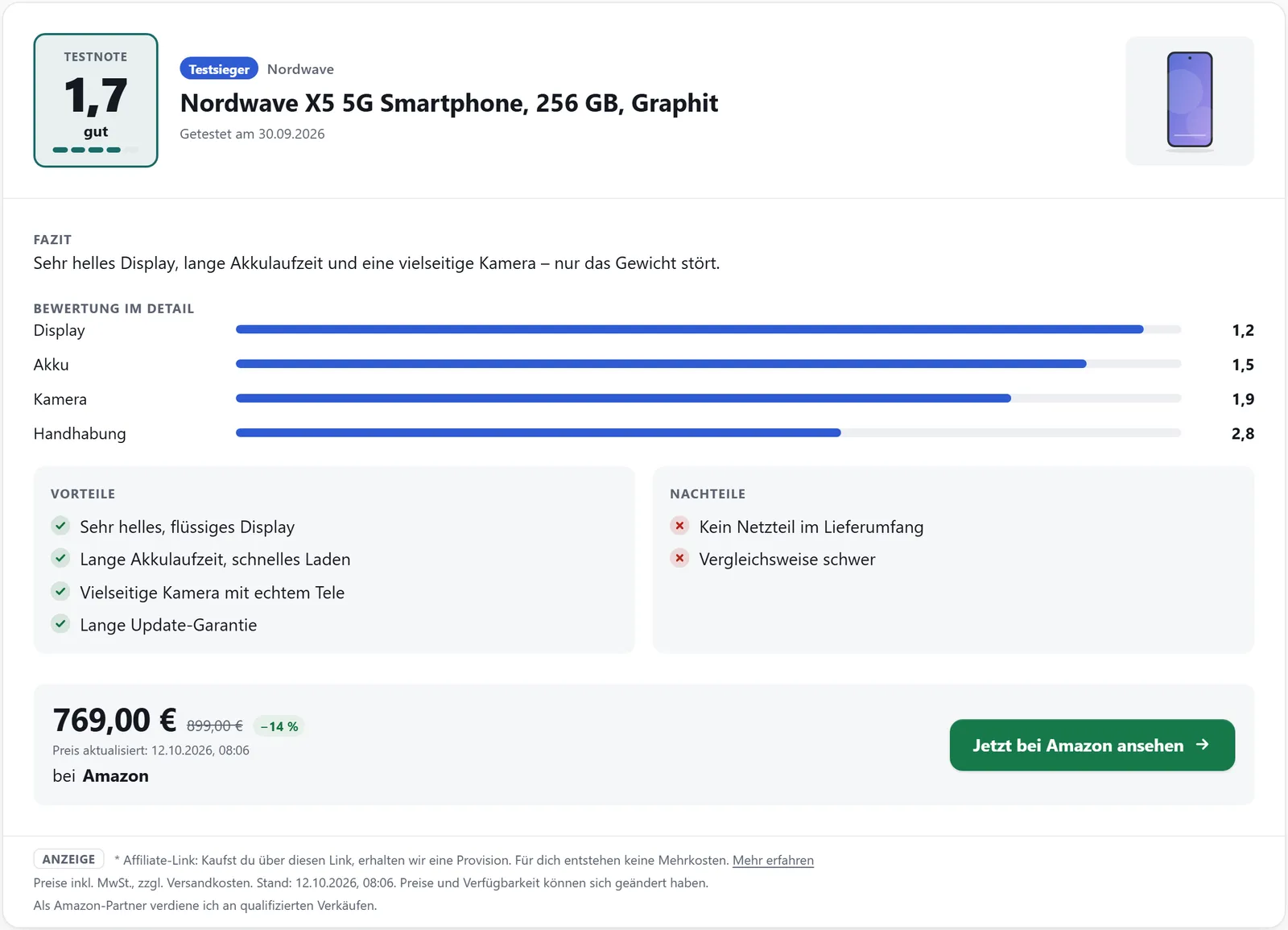
If you have tested a product yourself, you record the result with the product in the dashboard. Your site turns it into a test review with score, verdict, criteria, pros and cons and a button to the best offer.
In all plans
What it does
- Scales: school grade 1.0–6.0, points 0–10 or 0–100, stars 0–5
- Verdict in five steps, from “very good” to “poor”
- Up to 20 individual criteria shown as bars
- Separate versions per language and website, overridable in a post
- Score also in product boxes and as a row in comparison tables
- Optionally as a schema.org Review in the structured data
Adding a review
In the dashboard, open the product and the “Test review” tab. Choose the language, whether the review applies to all websites or just one, and the scale – when you switch scales, the dashboard converts the scores already entered. Then add the overall score, test date, verdict and criteria.
Pros, cons and a badge such as “Test winner” come from the “Texts” tab; the test review uses them too.
A different score in one post
The editor sidebar “affilinode: test rating” lets you enter a review for this post only, including its own pros, cons and badge. It replaces the dashboard review in that post. With a product in “Only for product”, [affilinode_rating] without an id shows exactly that product.
What visitors see
The score appears in large print with its verdict, followed by the test date, verdict text, criteria as bars, pros and cons, the badge and a button to the best offer. The score is always written out as text (“Grade 1.7 (good)”) so screen readers can read it; bars and colours are decoration.
criteria="0", proscons="0" or button="0" hide those parts. rating="1" adds the score to a product box, and comparison tables have a “Test rating” row.
Review data for search engines
The setting “Test ratings as review in the structured data” adds the rating to the product markup as a schema.org Review – with score, author, date, verdict, pros and cons. School grades are written as a percentage, because schema.org expects higher values to be better.
Examples
Test review of a product.
[affilinode_rating id="…"]Without criteria and without the button.
[affilinode_rating id="…" criteria="0" button="0"]Score inside the product box.
[affilinode_product id="…" rating="1"]Good to know
- Review markup is off by default. Only switch it on for your own, real tests: Google does not allow reviews by sellers or manufacturers or ratings taken from elsewhere, and breaches can lead to a manual action.
- In embeds (Ghost, Discourse, HTML) the score appears as a row of saved comparison tables; there is no separate test review box there yet.
Which shops you can use depends on the plan.
Guide in the help center (German): testbewertung
Goes well with
Try it yourself
14 days with all features, no payment details. Afterwards your account continues on the free Basic plan.