Features · Boxes and displays
Comparison tables
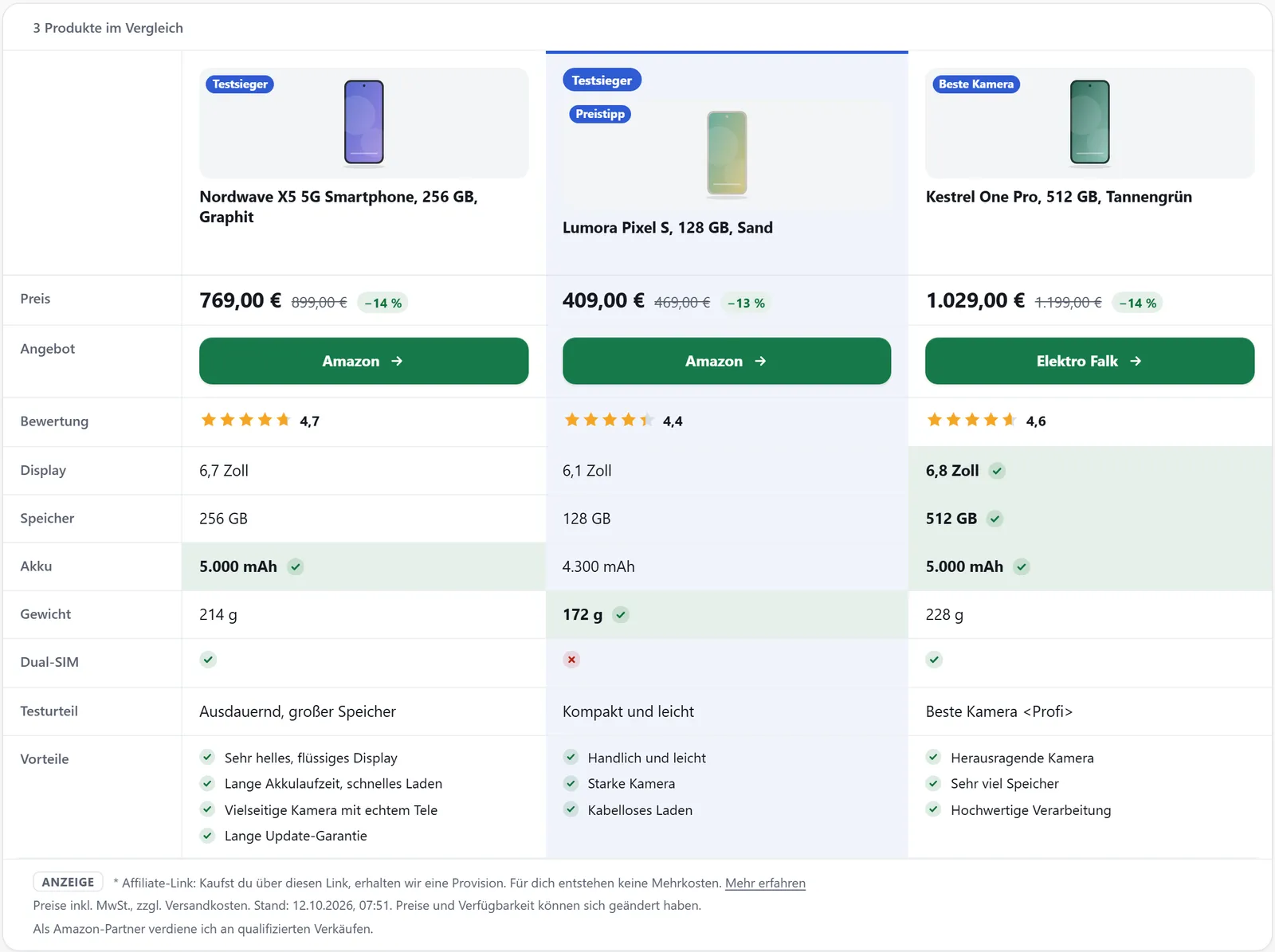
Comparison tables put several products side by side, one column each: price, rating, data sheet, pros and cons. You build them in the dashboard or right in the shortcode, and prices, images and specifications stay current on their own.
In all plans
What it does
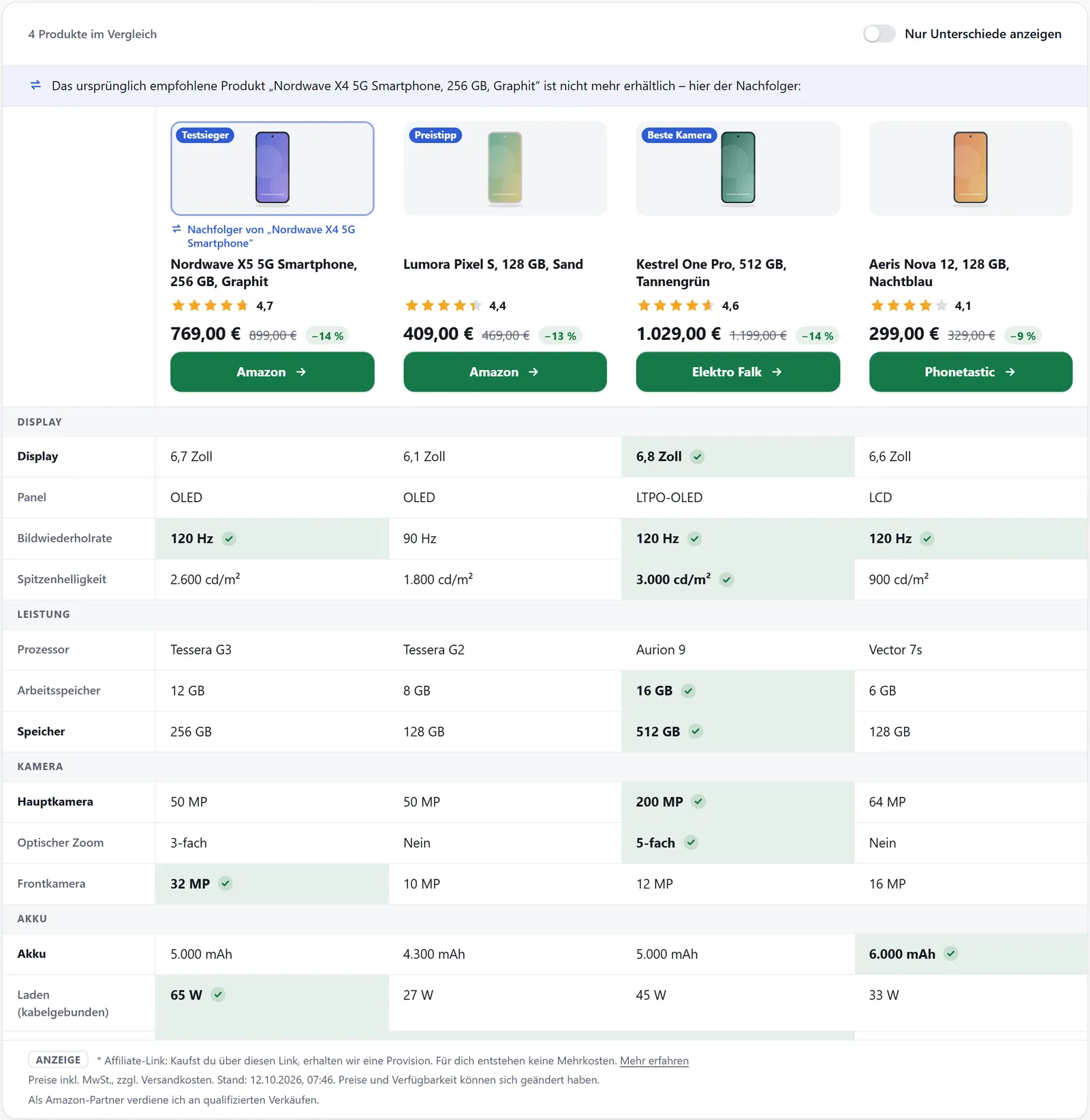
- Data sheet in groups, with the best value of each row marked
- “Show differences only” toggle
- Saved tables with your own rows as text or yes/no
- One highlighted product with a badge such as “Test winner”
- Tables based on the product search that update themselves every hour
- Swipe sideways on phones
Building tables in the dashboard
Under “Comparison tables” you choose up to ten products and their order – each column is one product. Rows can be standard rows (image, title, price, “Go to shop” button, rating, pros, cons, highlights, test rating), any data sheet field the products share, or your own rows with a text or yes/no value per product.
Under “Highlight” you pick a product and the text of its badge. The preview shows your unsaved changes; then copy the shortcode. Changes reach your site as soon as the webhook arrives, at the latest when the plugin’s cache expires.
Tables that update themselves
Instead of fixed products, a table can keep a product search query: product type, search term, filters, sorting and number of products. affilinode re-checks it every hour and swaps products when new ones match or prices and availability change.
You can pin or exclude single products, or freeze the current selection. The change log shows what came in and what dropped out. In WordPress, logged-in editors find the link “Save as comparison table” below the product search.
Straight from the shortcode
Without a saved table, rows sets the rows and their order – data sheet fields as field:<key> – and highlight marks a product by position or ID. Without rows, the table shows all technical data.
What visitors see
The best value in each row is marked, and yes/no values appear as a tick or cross with text for screen readers. “Show differences only” hides rows in which all products are the same. On phones the table scrolls sideways.
Examples
A saved table from the dashboard.
[affilinode_compare table="…"]Your own rows and a test winner in the shortcode.
[affilinode_compare ids="…" rows="image,title,price,field:display_size,rating,button" highlight="2" badge="Test winner"]A quick comparison with all technical data.
[affilinode_compare ids="…"]Good to know
- A saved table holds up to ten products.
- Prices only appear while they are current; Amazon prices are at most 24 hours old.
- If a saved query finds nothing, the dashboard warns you; with a very large number of matches it suggests narrower filters.
Which shops you can use depends on the plan.
Guide in the help center (German): listen-und-vergleiche
Goes well with
Try it yourself
14 days with all features, no payment details. Afterwards your account continues on the free Basic plan.