Features · Data, shops and migration
Product database
Behind every box is a product from your affilinode catalogue: title, images, description, pros and cons, data sheet and the shops’ offers. Maintain it once and it is up to date in every post and on every site.
In all plans
What it does
- Data sheets from open sources and manufacturer data
- Sources that require attribution are named below boxes and comparison tables
- Take over products from the central catalogue, match feed items
- Find and merge duplicates
- AI enrichment: product profiles and texts from the product data (from the Pro plan)
One catalogue for all your sites
Under Products in the dashboard you find your catalogue with data sheets, texts and offers. You import new products from a shop, request them by ASIN, EAN, shop URL or search term, or add them by hand – also straight from WordPress.
Feeds from Awin advertisers and other programmes deliver the whole range. Items with a unique GTIN or MPN are matched to your products automatically; anything already in the central catalogue can be added with “Add to my catalogue”.
Data sheet and sources
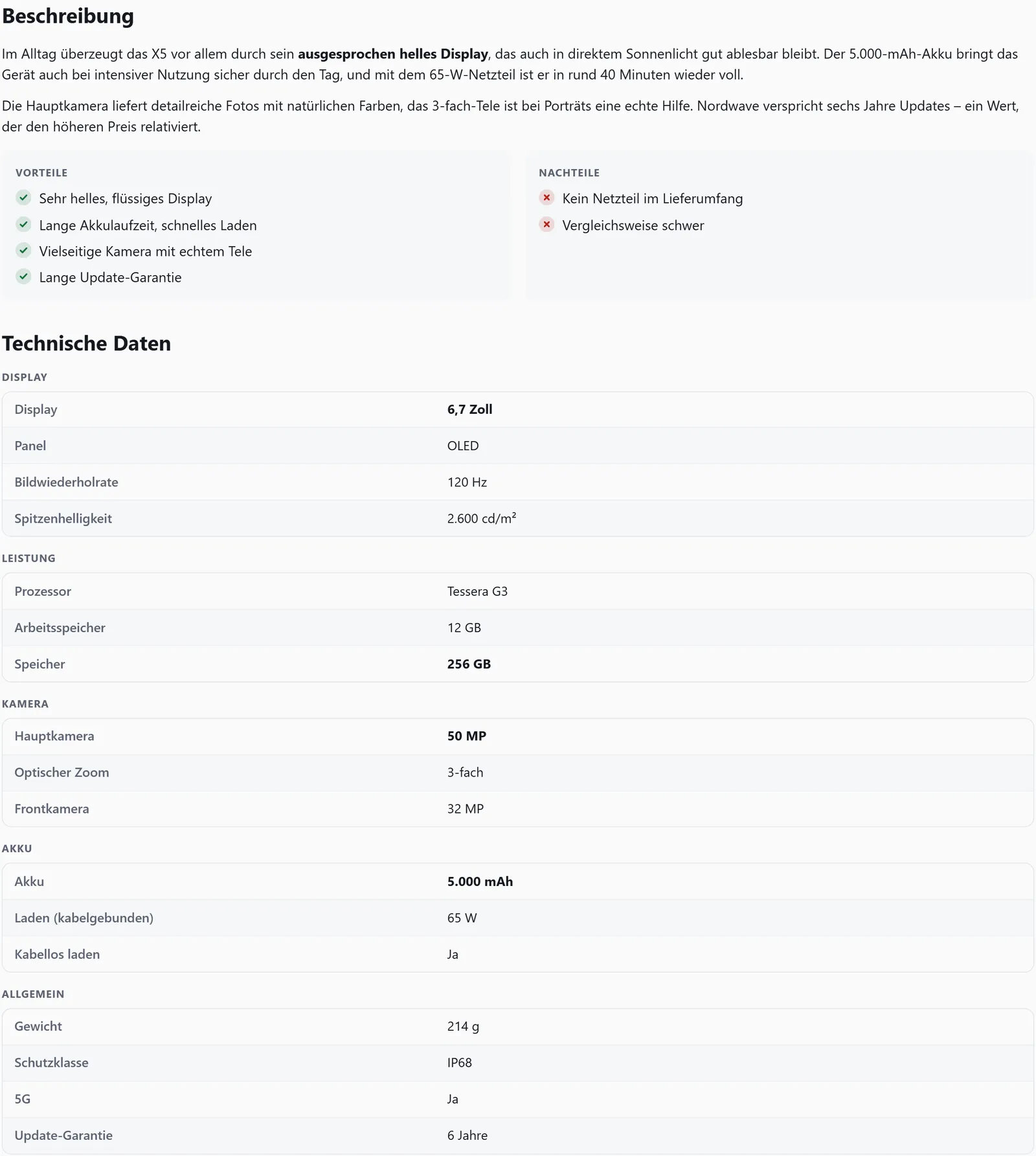
The data sheet groups technical data by the product type’s sections, such as display, battery or camera. The values come from open sources and manufacturer data – for example from the EU energy label database (EPREL).
When a source requires attribution, product boxes and comparison tables name it under the data sources. Many features build on the data sheet, such as comparison tables, the FAQ on product pages, “A vs B” comparisons and running costs.
Texts with AI
From the Pro plan, an AI adds product profiles and texts. It only works with product data such as title, data sheet and manufacturer information, never with personal data.
AI texts can contain mistakes. Check them before you rely on them in a post.
Merge duplicates
Owners and admins can find suspected duplicates: products with the same model number, the same product type and a matching brand. When merged, offers, identifiers and list entries move along, and the old product ID redirects – so existing shortcodes keep working.
Examples
Description, pros and cons and data sheet in a post
[affilinode_details id="…" show="description,proscons,specs"]Good to know
- AI enrichment is included from the Pro plan.
- Only product data is sent to the language model – no customer data and no content from the Amazon or eBay interfaces.
- Items from your own WooCommerce shop and your own product feeds never go into the central catalogue, for data rights reasons. affilinode does not take over eBay content or eBay images either.
- Merging cannot be undone.
Which shops you can use depends on the plan.
Guide in the help center (German): feed-artikel-zuordnen, produkte-importieren
Goes well with
Try it yourself
14 days with all features, no payment details. Afterwards your account continues on the free Basic plan.